Showing posts with label photography. Show all posts

Saturday, May 28, 2016

Run Free Google Nik Photoshop filter collection in Paint.NET

I have an older build of Adoble Photoshop that I rarely use for photo editing work. I prefer the freeware application Paint.NET.

So when I heard that the Google Nik Collection became a free download back in March I got really excited because at least I would have some new filters for Photoshop.

If you aren’t familiar with the Nik Collection and just hit that page, you might think that it offers seven or so very high-quailty photo retouching/editing filter profiles for use in Photoshop.

What it really contains is an amazing number of high-end photo retouching/editing filters that fall under seven primary filter categories.

But maybe you don’t have Adobe Photoshop so you have the sads as you couldn’t take advantage of these filters.

Fear not!  You can easily run the Google Nik Photoshop filters in the free Paint.NET photo-editing software application to your heart’s content and not need Adobe Photoshop at all.

image

sample photo by Mayur Gala via Unsplash with CC0 license

  1. Download/install Paint.NET (if you don’t have it already).
  2. Download and manually install the Paint.NET 8bf filter plugins.
    1. Once downloaded, unzip the file package.
    2. Close out Paint.NET if running. 
    3. From the unzipped location, copy the “PSFilterPdn.dll” and “PSFilterShim.exe” into the Paint.NET “Effects” folder (usually C:\Program Files\Paint.NET\Effects) (see here if needed) Download/install the Google Nik Collection. Tip: make a note of what the default install directory path is.
  3. Run Paint.NET
  4. Go to “Effects” on the Menu bar,
  5. Select the 8bf Filter near the bottom.
  6. In the window, click on “Search Directories” tab,
  7. Make sure the “Search Subdirectories” tick box is checked.
  8. Click on the “Add” button.
  9. Browse to the top-level folder location where the Google Nik Collection was installed (from step 3 tip) and select that folder.  (On my system it was “C:\Program Files\Google\Nik Collection”
  10. Click “OK” and the path will be added to the seach directory. (more details on installing Photoshop-compatible filteres wth 8bf Filter here.)
  11. Done!

To access the Google Nik Collection fiters in Paint.NET do this.

  1. Run Paint.NET if not already running.
  2. Load up an image file in Paint.NET to get started with.
  3. Go to “Effects” on the Menu bar,
  4. Select the “8bf Filter” near the bottom of the Effects dropdown listing.
  5. Select the “Filters” tab in the window.
  6. Expand the “Nik Collection”
  7. Pick a filter category
  8. Click the “Run Filter” button
  9. It will load up the image you have selected and then present you with the filter control window.
  10. On the top left side you will see the different sub-categories for the loaded filter.
  11. Select the filter subcategory and then try the different filters. You will see them previewed on your image.
  12. If you want, you can fine-tune the selected filter effect on the right hand side.

Amazing! All this in Paint.NET.

Mind blown.

Cheers.

Claus Valca

Sunday, February 08, 2015

New Software Finds – late edition

Honesty in blog titles here. Most of these finds came in late last month.

Turn ordinary photos into panoramas with Image Composite Editor updates from Microsoft - Next at Microsoft

The interface is seriously updated!

New ICE version 2.0.2 below

image

Old ICE version 1.4.4 below

image

If you do find you pine for the older version 1.4.4 version, Download.com has the older versions still available for now.

More fun tools and utilities

Note, I’ve long been a fan of and used eXpress FreshFiles Finder (XFFF) to accomplish the same thing. However Recent FIle Seeker seems to support some more advanced search options and is a more sophisticated utility.

Cheers,

--Claus Valca

Sunday, February 16, 2014

Small bytes for the sysadmins this week

Finally (did I really just slam up eight posts today?!!) here is a collection of links that may appeal to the sysadmin crowd here at GSD blog.

Fix problems that programs cannot be installed or uninstalled - Microsoft Support FixIT tool.  I ran across this tool mentioned as a possible solution maker when I was monitoring the recent spate of Apple iTunes update FAIL that happened just a while ago.

Per the Microsoft Support page link above:

Fix problems that programs cannot be installed or uninstalled.

Automatically repair issues that block program installation or removal because of corrupted registry keys. Find other automated solutions

What it fixes...

  • Corrupted registry keys on 64-bit operating systems
  • Corrupted registry keys that control the update data
  • Problems that prevent new programs from being installed
  • Problems that prevent existing programs from being completely uninstalled or updated
  • Problems that block you from uninstalling a program through the Add or Remove Programs (or Programs and Features) item in Control Panel

Free Tools for Active Directory Administration - WindowsNetworking.com

FREE: AD Permissions Reporter – View Active Directory permissions - 4sysops

…see also Free Active Directory Tools - 4sysops - Mondo list of free AD tools over at 4sysops

Microsoft Resource Monitor Quickstart (by Tony Fortunato) - LoveMyTool blog

Verifying a zeroed disk with zerocheck.sh - TinyApps blog. I need to experiment to see if the script can be ported/work under a Windows port; Is there a way to run Bash scripts on Windows? and win-bash - bash port for Windows. I’ll also dig around to see if there could be a PowerShell method as well.

PowerTip: Mount ISO or VHD File with PowerShell - Hey, Scripting Guy! Blog

2 Ways To Convert AVI & MKV Files To Add Videos To iTunes - MakeUseOf blog

Coming soon in Windows 8.1 Update 1: Internet Explorer Enterprise Mode — Within Windows

Windows 8.1 Update 1 leaks online -- This is what's new - BetaNews

Whew!

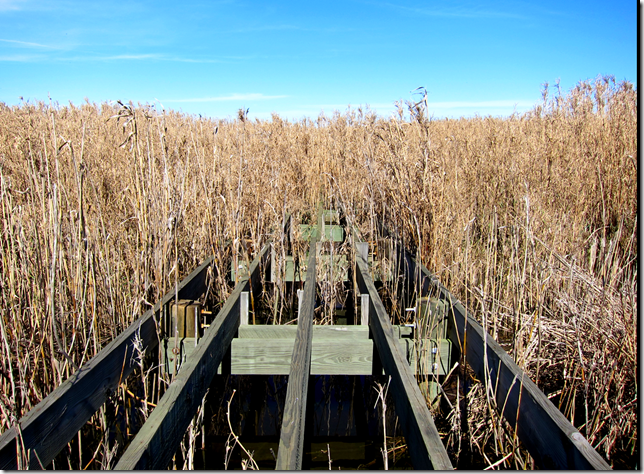
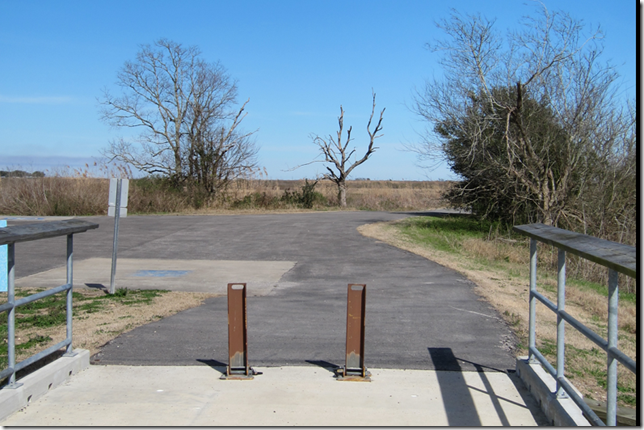
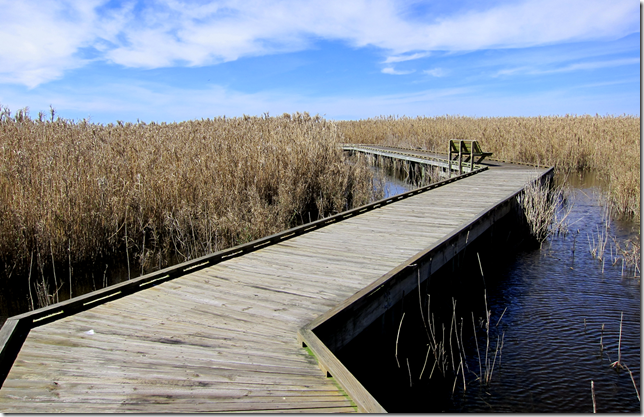
And just to prove that Claus isn’t all work and no play…my brother and I hooked up over the weekend and spend a breezy, clear and beautiful day exploring a regional bird-watching park. He tended to go for photos of actual birds. My shots were more of “desktop” background compositions…though I did get more than a few ducks in the frame.

Unfinished Bridgenessetknnfwj.xub

Do Not Passalwnbejc.eyg

Zig-Zag05xomivd.qjc

Pond3pzz13eo.jw1

Ducknnu0txvt.kjn

Cheers!

--Claus Valca

Sunday, October 20, 2013

New or Updated App Linkfest for the week

OK kiddos.  Here is an eclectic roundup of all kinds of freeware software and utility goodies that has been collected these past weeks.

I’m sure you can find something here for the little kid or serious sysadmin in you.

LightZone - Open-source digital darkroom software for Windows/Mac/Linux - free open-source alternative to Adobe LightRoom. Actively developed and supported by a very large community. If you do digital photography, then this is well worth the time to check out. Note that free registration is required to download the software. Spotted via this Noupe blog post LightZone: Totally Free Photo Lab lets you Forget Adobe Lightroom.

The Photographer's Ephemeris - free Win/Mac desktop app versions (AdobeAir based) and for $ supports smartphone/pad devices as well.  This super cool application lets photographers (film/digital) plan outdoor photography shots with natural (sun/moon) lighting conditions in mind.  Basically you provide the time and place and it will show how the light falls on your scene. I can’t believe this is free and I haven’t found it until now!  Spotted via a reference in this amazing Sean Goebel Photography: Timelapse post where Sean explains the techniques used to capture his time-lapse photo video among the observatory telescopes up on Mauna Kea, Hawaii.  Totally worth the time invested to both view the video (it even has lasers!) and read his well composed post.

Inno Setup - jrsoftware - just got a version 5.5.4 release last week. If you do Windows application/software packaging for setup and distribution this might be of interest to you. However, I don’t but it was still of interest to me. I then checked innounp, the Inno Setup Unpacker which is a sourceforge project to see if it was updated. It isn’t quite as current but is at version 0.39 supporting Inno Setup versions 2.0.8 through 5.5.3. Why do I care about innounp you ask?  Well, see I lean heavily on Universal Extractor to unpack various software package files in attempt to make semi-portable versions of them rather than fully installed versions on my system. One of the most popular packagers I run into is Inno Setup. Many developers use the latest versions of Inno Setup.  Jared Breland of Legroom.net created Universal Extractor but it hasn’t been updated in quite some time. Fortunately, what Jared has done is leverage many of the individual unpacker binaries in his application. So if you can find that one of the supported unpacker binaries has been updated, I find I can generally just replace the older version in UE with the newer one and keep up with the times!  So now you see why this is a good tip for you UE users.

InDeep File List Maker: List files & folders in Windows - Link and review via The Windows Club. Interesting little portable app to create listings of files in your Windows systems including removable drives and optical drive media.

Phrozen Windows File Monitor v1.0 - PhrozenSoft Blog - another neat little utility to monitor and select changes in your file system. This is an early version and the developer plans to add additional features moving forward. I really like it and the fact that you can switch between both list and tree-views. Spotted in this BetaNews post review: Phrozen Windows File Monitor lets you watch file system activity in real time. See also this Ghacks blog review: Windows Files Monitor records any file system change in its interface.

That product and those reviews then led me to find PRIMO (version 2.7.3 released Feb 27, 2012). PRIMO was developed to monitor program installs on Windows systems from Win2000, XP, Vista, & 7.

I’ve got lots of freeware utilities to monitor and log system changes, but for now we are keeping the discussion just on utilities that monitor (primarily) folder changes. Accordingly other tools you may want to check out are NirSoft’s FolderChangesView, Brutal Developer’s Directory Monitor, Leelu Soft: Watch 4 Folder 2.3 and Track Folder Changes. Do you have any other recommendations?

Oracle VM VirtualBox - Version 4.3 released on Oct 15, 2013.

Cheers.

--Claus Valca

Saturday, July 27, 2013

Fun with Lightworks, the Canon 5D Mark II, and little Bro

A few weeks ago, an exciting opportunity came up.

I had the chance to publically record a nationally-winning high-school student’s (re)performance of his work under controlled settings.

So out came the Canon EOS 5D-Mark II, lenses, and a solid tripod.

My brother had just moved back in town so he got an invite too.

He set up from a different angle with his own amazing Canon EOS 60D.

Someone yelled “action” and we both started shooting HD video on our Canons.

Side note: I am continually surprised and amazed when I learn of feature movies and video productions being shot with the Canon 5D Mark II/III.  I am humbled that I am carrying such a amazing piece of hardware in my camera bag now. Thanks bro! It’s inspiring!

There was one minor flub in the performance so I shot a tight retake of that section with the actor.

Data video files were downloaded and shared. It was grand fun.

A week or two later I sat down at my laptop and faced the daunting task of somehow editing the video from two different camera angles, and the two different audio tracks into a single video performance.

I had a lot of options, both new software and old ones.

In the end I decided to jump off the proverbial cliff and went with the free community version of Lightworks.

The learning curve was very, very high, but I had done due-diligence by spending a few days re-reading the PDF manuals downloaded earlier, I then watched (with full attention) the official Video Tutorials. Peter Bridgman did a bang-up job showing all the core features and things to know to quickly get grounded in the application.

From there I just jumped in (with significant text-messaging support from my brother throughout the day), imported the multiple 4 GB MOV files each of the Canons had captured and started working away.

I had planned on using some of the audio/video syncing features it carries, but in the end the time codes were not quite perfect between the cameras so it took a bit of trial-and-error to manually make all the angle cuts sync smoothly. IU

The different angles and lenses also caused some differences in the color. I was able to edit the color in both to match very closely for continuity.  Even the section of performance “retake” slipped in seamlessly.

The final challenge was exporting the video. My first attempt resulted in almost a 80GB AVI file. Wow!

Another go with some different export settings knocked it down to a more manageable 40 GB size. I still had to run it through a secondary audio/video re-coder app to bring it down to a final 127 MB video file size so that it could play on a DVD format without stuttering.

The end result was a pretty awesome HD video production shot with my bro, after at least 12 hours of learn-as-you-go video editing and post processing. The family of the student we shot the video for were blown away with the results, as were my brother and other family who got to share in the final production.

Through it all Lightworks (x64 bit build 11.1) never choked or had any problems. My Intel i7 processor with 8 GB system RAM kept up with the workload as well.  I’m super glad I made that investment at the time of purchase. It hardly broke a sweat!

For being an amateur videographer on a first foray into HD video recording and editing, it was a lot of fun and I’ll definitely have much more confidence the next time we roll into the field.

Not soon after I was done, I spotted news about Adobe Premiere Pro’s own features and multi-video sync support:

Adobe Premiere Pro CC Hands-On: Multi-GPU Support and More - Windows Extreme Blog

While Lightworks isn’t probably going to win most home users away from more friendly video-editing apps, it is a truly professional-grade video editing platform…and the free version will probably be way beyond most average users’ ability to exceed it’s options.

More:

And the New Lightworks Version 11.1.1.e Now Available as Public Beta looks even more amazing!

Lightworks NLE free edition - Highly Valca Recommended!

--Claus Valca

Sunday, October 28, 2012

Displaying digital media on an older HDTV - Dad Approved

4tbgsbzc.lbn

CC attribution: by Daniel Oines (dn1967b) on flickr.

Being a child of the 70’s and 80’s, one common family event was family “slide show” time. Dad, being a hard-core amateur photographer (we had a dark room, chemicals, print paper, etc.) took lots of SLR photos. So naturally we had lots of slides.  That meant after trips or for family get-togethers, down would come the project screen, up would go the slide projector, and out would come the boxes upon boxes of slide carousels.

Hummm…and in the next slide…ca-chuka-chucka…we can see…first young Claus proudly showing his tiny perch caught on his bamboo fishing pole…and in the next…ca-chuka-chucka…Claus has fallen off the pier into the lake. See how the pole floats? Alas, Claus does not. Ha-ha, dad.

Ain’t technology grand?

Fast forward to 2012.  Dad is now well into the transition from 35mm SLR photography to DSLR photography. That is generating a lot of digital photos from his vacation trips and amateur anthro/paleo field-work. Not to mention digital photos from iPhones and point-n-shoot cameras he and his wife both have and use for the daily life and family events.

Up to now, he has been able view them quite successfully on his desktop PC at home. However when there is a large family gathering at his house, he has to fetch the correct camera, connect it to his Sony Bravia KDL52W4100 HDTV via a low-quality video-in (yellow RCA) plug. While serviceable, Dad’s got a sharp eye and the high quality of his digital shots isn’t done justice with the low-quality of the input method.  This older HDTV doesn’t have any slots for USB/memory cards like his PC does. Bummer.

So he asked me for advice.

I needed to find a dead-simple solution to bring him the ability to show his great digital photographs as close to HD as possible on his older HDTV.  Maybe move the desktop PC to the living room or use a super-long D-sub VGA output cable from the den to the back of the TV?  Well, yes…but…

Here’s what we did.

Part 1 - IncrediSonic Ultra Play IMP150

I advised him to pick up a IncrediSonic Ultra Play IMP150 (Amazon link) multi-media player. It has a USB port and supports HDMI output. (The same model is on Newegg.com).  There is the unit, a remote, an A/C adapter, and some low-def audio/video cables in the box.

I recommended this one to him for few reasons. First the Amazon product page has a mini-review video. I wanted him to be able to view the video to make sure the operation seemed logical and non-techy to use for him. The sub $40 price was great. It had an HDMI output that supported 1080p. Dad isn’t using all his HDMI ports on his Bravia TV so connecting it in HD output would be supported.  Not only would it support his digital image files, but it also could support many video file formats as well. It supported SD media sticks (from the point-n-shoot cameras). It has a USB port so media on a non-supported memory card format could be copied to a USB stick for display. Finally, the menu-interface and navigation seemed pretty intuitive.

More videos of that product in action:

IncrediSonic Ultra Play HD Media Player - MyKeyReviews - YouTube

Vorstellung des Incredi Sonic Ultra Play IMP150 - HD TV Digital Mini Media Player (HDMI,USB,1080 p) - YouTube

Note, there are quite a few other similar products that have pretty much the same features if you like this solution but want to explore other products, take your pick.

Part 2 - Patriot Xporter XT Rage 32 GB USB stick

Patriot Xporter XT Rage 32 GB USB 2.0 High Speed Flash Drive - Amazon product link

Patriot Xporter XT Rage 32GB USB 2.0 Flash Drive Model PEF32GRUSB - NewEgg product link

Dad does have a number of USB sticks that could have been used, but I recommended he use a new dedicated stick just for showing his digital photos/media on this unit.  There were probably even faster USB sticks than this one, but I have been pleased with my Patriot Xporter flash drive for many years. This 32 GB model has lots of storage room over his 4 GB models, and the smaller format would (hopefully) mean it wouldn’t stick out of the USB port on the IncrediSonic device like a standard USB stick would and risk over-torque/breaking of the USB port connection soldier points to the device system-board if dropped/banged/etc.

I could have found an even smaller USB micro-plug but then I was worried about possible loosing of it, or it being hard to manipulate on the desktop system.

The storage size and physical size of this unit seemed the best balance for his particular needs; adjust accordingly.

Part 3 - HDMI Cable(s)

So here is where my plan came together.

I pointed Dad to this AmazonBasics 2-Pack, High-Speed HDMI Cables 6.5 feet cable set. NewEgg also has more than a few HDMI cable picks as well.

This would so be easier and better quality than continuing to use that silly yellow video out/in RCA plug connection!

I went with the 6.5 ft length so he could leave it plugged in on the back input panel of the HDTV display and then tuck the cord away when not in use. Then there would be enough length to allow it to stretch to where he could put the IncrediSonic device close enough to a A/C source and high-enough for the remote signal to reach it.

The 2-pack was recommended so he could leave one permanently attached to the back of the TV as mentioned but the “spare” could be kept in the box/bag with the IncrediSonic so he could take it on the go when he visited other family members who also had a HDTV with HDMI inputs. This way the show could conveniently go on the road!

Dad ordered the set the next day from my recommendations and a few days later had the whole thing running perfectly. He was beyond pleased with the quality of the display.

I reminded him that according to the reviews, it defaults to 720p HD format but if the HDTV supports 1080p, he can change a setting on the device to get even better display quality for his DSLR digital photos.

This or a similar “kit” might be really valuable for ForSec and/or other digital media users who need a standby for showing digital media presentations…just in case that laptop doesn’t work, or that TV/display provided isn’t what they said it would be, or if the one cable you need to use your standard setup goes bad. This particular combo came in a just under $100. Not bad.

Definitely Valca Sr. approved.

--Claus V.

Friday, September 07, 2012

A Little Bit All Over the Place

I’ve run into a few IT-related challenges over the past two weeks.

Fortunately, I’ve not only been able to overcome them, but walked away with a number of amazing software finds in the process.

Those posts are currently pending due to the awesomeness (to me) of getting things organized for public consumption as my mental and lab process notes leave much to be desired.

So since my brain is mush right now here are some appetizers to hold you over.

Last month, Microsoft released a number of updates to their Windows Essentials bundle. The public focus were a host of changes touted in the Photo Gallery and Movie Maker components.  However, they were sneaky and made an update to the Live Writer application.  What updates? Your guess is as good as mine as asking for provision of a “change log” is likely to bring a beating.

LEHSYS’s Larry Henry seems to like WLW and be just as frustrated as me lately.

One thing I have noticed with this new release is that I can make it “fake-crash” very easily while composing.

Untitled - Windows Live Writer_2012-09-07_18-13-21

What do I do?  Simply make the mistake of hitting the delete key too many times and sucking an existing  hyperlink into the delete vortex. Bam! Crash window.

Only it’s a fake-crash. The first time I encountered it I freaked as I had composed a long post and was in fear of loosing my material--well up the the last save point. However I soon learned that it didn’t matter if I clicked the red “X” or “Close program” button, WLW would keep on trucking. No loss occurred and despite the warning, Windows did not attempt to close Windows Live Writer.

I didn’t have this issue before the “upgrade”.  I wish I could somehow roll back to the previous version. Anyone figure out how to “off-line install” older versions of Windows Essentials/Windows Live Writer?

GSD Sidebar:

I did finally find links to the full “off-line” installer for the Windows Essential packages!

What I find interesting is that the “wlsetup-all.exe” from the MS site is 131 MB in size and is served from http://g.live.com/1rewlive5-all/en/wlsetup-all.exe but the one linked in Scott’s original post near the bottom is 134 MB and served from http://g.live.com/1rewlive3/en/wlsetup-all.exe.

So these are different “off-line” WL setup binaries.  In fact, if you look at the path, you can see a “pattern”. On a whim I tried http://g.live.com/1rewlive4-all/en/wlsetup-all.exe and got a good download as well.

Googling that URL template, I found this very helpful post Windows Live Downloads « The Field Guide which details these indicate which “wave” release it was.

  • Wave5 = Microsoft Essentials 2012
  • Wave4 = Windows Live Essentials 2011
  • Wave3 = Windows Live Essentials 2009

I’ll play with these and likely roll-back to the Wave4 WLW version to see how things go.

(The text in the fake blog post above came from the awesome Samuel L Ipsum site. It is one of a number of fantastic alternative Lorem Ipsum generators listed in this post: 30 Alternatives to Lorem Ipsum found by Splashnology. Zombie Ipsum has to be a close second.)

I’ve been taking a lot more digital photos lately since getting a Canon S95. This has led to a new issue which is managing my growing photo library. It is a super joy to shoot with and handles low-light/no-flash captures wonderfully. I haven’t scratched the surface of it’s capabilities but the small format really lends itself to being kept on my person for random shots (examples of photos I took with the S95 around town below no post-process done).

IMG_0505IMG_0739

IMG_0735IMG_0287

This will probably multiply now that my dear brother has lent me use of his “old” EOS 5D and a super cool set of lenses and Speedlight. I’m a bit overwhelmed with it all. We are planning some nature stalking as we have found we feed off each other when photo-walking together.

He uses Adobe Photoshop Lightroom 4 which is very high end. Then again he does some amazing photography work and has amassed a tremendous digital library over the years. He is also a Photoshop wiz so it works for him quite well. Dad is making the transition from a old-school 35-mm SLR format guy to the new DSLR world. As such, he is focusing on the transition and uses ACDsee.

I’ve got a pretty large collection of photo editing and management apps I have been using for some time (that’s another post to list them all!). Primarily I use FastStone Image Viewer which has borne the brunt of my digital image management and basic manipulation work. It’s great but I think I need something a bit more beefy.

I do have Adobe Bridge, although it is a CS4 version. I may just need to learn it. Got a few books on it already in my home library. It is really fast on my system and fairly intuitive. XnView works well and I am learning it also. Of course, I do have Microsoft Essentials Photo Gallery. It is a fairly nice interface and has some nice features, but it doesn’t seem as “serious” as Adobe Bridge or other tools for some reason to me.

Before FastStone’s tool, I had used ImageWalker which was cool as it contained a amazing collection of photo-effects to apply. I eventually turned to PhotoFiltre for that task.

So it was with excitement I stumbled on the updated ImageWalker replacement Diffractor. It is super slick and has just enough editing tools to be handy to use.  I love the interface and while the menu/navigation system takes a while to get used to, once learned it is really fun to use. It even includes a timeline generator view! Definitely recommended for use!

Picasa from Google is pretty neat. It is very fast and operates smoothly. I didn’t feel like installing it (yet) and found (like many Google products) the installation exe could be extracted with 7-Zip. I’m going to spend some time with this application as well.

I quickly found a super-neat photo workflow application called darktable. The problem was that while I could install it pretty easily into my Ubuntu 12.04 build, all my photos were in my Windows OS and while I use Ubuntu and can work in it comfortably, this wasn’t quite how I wanted to do things smoothly. Alas, there is no Windows build (yet?). See this Noupe post Darktable: The free Alternative to Photoshop Lightroom goes Mac OS X for more info.

I found the Open Source photo management application digiKam. Supported platforms include Linux, FreeBSD, Mac OSX and Windows. The screenshots and features look very promising. It does seen to be a bit “crash-y” on my Win7 x64 system…so the search goes on.

Other Canon stuff I probably shouldn’t mess with just yet but am tempted to:

  • MagicLantern.fm - Home - software to modify the camera controls and features for Canon EOS cameras
  • CHDK - Canon Hack Development Kit to add additional controls and features to select PowerShot cameras

Moving on to another topic, I had recently was banging my fist on a USB flash drive that was presenting some issues. In the process of troubleshooting, I found a few of my favorite USB tools had been updated fairly recently.

  • Dev Eject - v. 1.0.24 - lists removable media, allows ejection of devices, and shows files that are open and preventing ejection.
  • HotSwap! - v. 6.1.0.0 - Helps with USB device removal..and a whole lot more!
  • USB Disk Ejector - v. 1.3.0.3 - Helps with USB device removal in a pleasant GUI/system tray.

Some cool Windows Tweaking utilities I found this past week are:

  • Librarian - a powerful libraries manager for Windows 7 and Windows 8.
  • Taskbar Pinner - a universal pinner software for your taskbar. Pin a file, a folder, a shell object, or a library to your Windows task bar.

There are a whole lot more tweaking tools for Win7/Win8 over at WinAero. Check out their downloads/software page for more.

I still use Jumplist-Launcher over at Hedgehog's Blog as well. It hasn’t been updated for a long time but still does a great job. Between the jumplist I made with this tool and Winstep Nexus Dock everything I need is pretty much in quick access reach on my Win 7 systems.

Finally, I’m playing with Baralga to get use to trying to better document and track the time I spend working on various projects. It’s a Java-based app so it is quite portable and flexible. I checked out a long list of time-tracking apps and this seemed to fit my needs the closest.

Cheers

Claus V.

Saturday, February 18, 2012

New and/or Updated Freeware Software Finds

Surely, somewhere in all this linkage you can find something useful.

For additional malware-bustin’ tips and tools check out these related GSD posts:

Cheers!

--Claus V.

Monday, January 16, 2012

Digital Image\Video Resources

Little bro recently made a Christmas contribution to the “Claus-needs-a-new-hobby” campaign.

While a portion of it does involve me staying up much later each night now (like I needed that bad-habit) reading George R. R. Martin's “Game of Thrones” series on my Kindle, the most recent focus is the coming addition of a Canon PowerShot S95 to my photography tools.

For the longest time I have been seriously looking at the newer digital rangefinder class of cameras and the Olympus PEN E-P1 (Amazon link) fell into my price-point. I’ve yearned for this one for some time, however this particular model has been updated several times (more $$) and the Canon PowerShot S95 (Amazon link) was in the same range (price-wise). Though it also has a newer version, this one just seemed to have many more features (do I really need 1080p video when the S95’s 720p only video may never get used either?).

In the end it was the collection of Flickr: Canon PowerShot S95 group photos that sold me on it along with the smaller (pocket/backpack) format over the E-P1. It came down to me being honest with myself. I can’t take good pictures and improve my technique if I don’t carry the camera with me almost all times to take pictures to begin with…and the S95 is much more pocketable (and less imposing when in use) than the E-P1 or my Canon Rebel XT DSLR. So, photography links on the sidebar have been amended to remove the PEN and add the S95.

Hope to share some pics from it soon.

So, that leads us into these great digital imaging tools I’ve found recently (or have been updated).

Microsoft Research Image Composite Editor (ICE) - This remains my favorite image-stitching tool. Can also handle video stitching techniques: Microsoft ICE update–video to panorama, lens vignette, improved blending - HD View

Hugin - Panorama photo stitcher - This is a new-to-me project. It looks a lot more sophisticated that ICE so I’m looking forward to trying it out as well. It has a lot of control.

Scarab Darkroom - Beta version is free. From the page “Scarab Darkroom is a digital camera raw file converter/photo editor that supports most raw format capable cameras from Canon, Nikon, Olympus, Panasonic, Pentax, Samsung, and Sony. It is fast, easy to use, and produces excellent results. Development is still at the beta version stage.”  My S95 has Raw+JPEG shooting format…. More here at AddictiveTips: Edit And Convert RAW Images To JPG With Scarab Darkroom

It’s been a while since I last posted a roundup of freeware video editing tools: grand stream dreams: Video-Editing Resource Roundup

Here are some new links: Top 3 free video editing software for Windows 7 via The Windows Club links to Avidemux, VirtualDub, and VideoSpin.

What amazes me is that the pro-class Lightworks Open Source Project (free!) for video editing never seems to come up. It is incredible. Is it too complicated? I’m looking forward to shooting some 720p video to experiment with the application.

--Claus V.

Saturday, December 19, 2009

Tiny Stuff

Said with a nod to TinyApps Blog

Here are some links on some free tiny tools, tricks, and techniques that might be just darn fun or useful to play with.

Your mileage may vary.

I knows what I’s likely be doin over the holiday weekend!

Not a bad tiny post, I must say!

--Claus V.

Saturday, June 20, 2009

More Olympus E-P1 teases

Amazon is taking pre-orders on the Olympus E-P1 kits.

Full reviews are still sparse.  From what I can gather some pre-release units went out to select reviewers.  Some release units also got out there, but from the “…wait for a full review…” comments in the articles…it seems like there are some agreements to not release too much info quite yet.

A Olympus E-P1 release event occurred in Germany so most of the links with “real-shots” were taken from Berlin.

Here is the latest batch of “best-of” write-ups and teases I’ve found.

Lavie is impressed with it as well.  I’m still waiting for the “real” reviews to pick it apart, but I’ve been smitten with what I have seen and think it would be the perfect level/format of digital camera for the style of photos I’m looking to capture.  As well as being more inconspicuous for candid street-shooting compositions.

Enjoy!

Olympus E-P1 Videos – PhotographyBLOG – Not only does the camera provide 12.3 megapixel stills, it also provides true HD-level video.  This collection is amazing!  Granted the art-mode filters cause slowdown in capture, but they still are quite neat.  The normal mode color is spectacular, smooth and highly detailed.  Can’t image what they would look like on our HD TV.

E-p1 autopsy pictures - Olympus and Panasonic rumors – Great site and neat cut-through view of the camera body/lens.  Amazing work packing all that tech into the small package. Wow.

First Olympus E-P1 unboxing video! - Olympus and Panasonic rumors – Why not?

The Online Photographer: The E-P1: Not Exactly What You Want? – The Online Photographer – The title is misleading.  The reviewer actually really likes his time with the E-P1.

Olympus interview: Future ‘Pen’ cameras planned (update 16 June 5pm) news - Amateur Photographer – News that Olympus may release higher/lower end versions depending on how this first model does.  Higher may include a built-in viewfinder.  Interesting….

Olympus E-P1 test photos – Let’s Go Digital – Bit more news and photo samples.

Google Translate – Review with LOTS of hardware photos of the device.  Translated version but still quite good. Written by O. Takeshi.

--Claus V.

Wednesday, June 17, 2009

GSD Keep-Alive Ping + the new E-P1!

image

cc image credit: Black Olympus Trip 35 on Flickr by Hermés

Hi all.

I’m still here.  I just realized it’s been over half-a-month since the last post.

Work is crazy-wild with longer-than-normal sessions in the bull-pen and on the mound, along with weekends chock-full of special family-focused down-time.

Please remain confident that my to-blog pile is reaching critical mass.

I’ve got the usual load of Microsoft Windows OS related topics in the wings, a curiously free amazing on-line collaboration tool, stupid MS Office taming tips, a mess of browser news, and linkage galore of security-related tools and various utilities.

Also in works, a specific “while-in-the-trenches” post on a live-fire failing disk recovery session with two neat new free tools I uncovered in the process.  Oh yes…I guess I need to mention the drive in focus involved a blown-out PGP Whole Disk Encryption load. Yikes!  Expect some new pgpwde.exe command-line support resources as well in that pre-or-post post. (Did that make any sense?)

Completely unrelated….Olympus cameras…

I’ve been taking out my old Olympus Trip-35 and longingly holding it a bit.  I haven’t worked up the courage to drop some old-school 35mm film in for kicks.

While Jonesing on the Trip-35 I found this Flickr: Olympus Trip-35 group with some great old/new photo sessions.  It’s been a blast reading around.  The more I research/read up on the web on the Trip-35 the more I am amazed at this little tool.

I loved taking photos with it as a kid and still think it has taken some of my favorite photos. I’m not sure of the technical reason the photos appeal to me. There’s just something about them that stands out from images from other cameras I’ve used over the years.  Not being a pro I can’t explain it but there is a distinct retro-like visual appeal to them I seem to sense.  Maybe it just me reading more into it because I know the camera body is probably as old as I am.  Eventually I’ll figure out how to scan my negatives in on the HP scanner we bought some time ago. Failing that I will just scan some of the prints in and share.

Anyway, my love and joy of the little Trip-35 platform has kept the desire in me for a digital version. I think I would really get more use out of this format that a full-bore entry-level DSLR camera with my shooting style (more casual/photo-journalistic/street-shooting).

So recent word that Olympus might be coming out with a digital “range-finder” camera this summer intrigued me:

I’ve been scouring the Net for news and today found this website offered to me by Olympus from a news signup I registered for.

The object of my desire?

  • The E-P1 digital rangefinder - Olympus

image

cc image credit: Olympus E-P1: Sleek frame on Flickr by bfishadow

Quite likely after wasting over an hour on the website tonight as well as even more on the following reviews and linkage.

Here’s the first onslaught of E-P1 gushing to hit the web I’ve started to turn over.

And here are a collection of interesting digital photo samples of the E-P1 output in action

I close with this: A shameless E-P1 viral-ad pandering to the Will It Blend? fans.

Will It Blend? - Roberts Raw!

Stay tuned!

--Claus V.

Monday, May 04, 2009

Visually Inspired…

Lavie is scheduled for another round of outpatient procedures today so I’ve taken the day off to play supportive husband.

Expect intermittent blog posting today.

Offered in this post are a number of items that are inspiring visually.

First up, high-res desktop wallpaper guru Mando Gomez has presented a number of dual-monitor flag-themes over the years.  These three have particularly inspired me and rotate on my desktops:

image

mandolux desktops – Texas/v2

image

mandolux desktops ad – Hope

image

YARRRR! on Mandolux Flickr Photostream

(in case it wasn’t clear…attribution to all images is due Mando Gomez)

I wasn’t sure about the last one with all this Somali pirate shenanigans going on.  True piracy isn’t nearly as glamorous or entertaining as watching Johnny Depp carouse around.  However, given that at least some folks in the Navy look to have a handle on individual situations, and it is just plain hard to find a good Jolly-Roger desktop image, I figured I’d pass it on.

Crazy Dinosaur Comics artist Ryan North has this geek-inspired t-shirt: TopatoCo: Time Traveler Essentials Shirt 

It contains a summary of major scientific information that could be handy just in case you are swept unexpectedly through a time-space wormhole and pop up in say, the Middle-Ages.

image

There is also a poster available as well.

Graham Rawle has a collection of fun visual wordplay known as Lost Consonants.  Here’s the formula: take sentence and remove a single consonant from one key word, turning it into another.  Then add an image that goes with the repurposed sentence and see what you have got.  Kids and (most) adults pick it up pretty quickly and it is pretty clever.

Engineering Windows 7 : A Little Bit of Personality and TechBlog: Windows 7’s weird and wonderful wallpapers explained.

Both posts take some time to highlight the amazing (really is this Microsoft coming up with these?) choices in wallpapering options under Windows 7.

Many are quite “trippy” and I have to confess I’m liking the change from the traditional wallpapers offered by Microsoft.

Vista’s standard default wallpaper collections were a large move forward, but these Windows 7 options are amazing; not just for the diverse artwork in itself, but also for the deviation from the button-down collar attitude.

image

Fun!

--Claus V.

Monday, January 19, 2009

Linkfest: Inaugural-eve Edition

Quite a selection of great and useful applications have been updated over the past weeks.

Belly up to the bar and have a pint.

For the Visual Learners

  • Flickr: Search The Commons and Library of Congress Releases Report on Flickr Pilot – The Library of Congress uploaded thousands of visual images in their archives to Flicker.  It is a simply amazing collection of material.  Much of it unseen until now.  It is a treasure-trove of images from a by-gone era.
  • FlickrLeech – FlickrLeech used to be a web-site location where you could enter some search terms, pick a date, etc. and then be treated with a ton of greatly arranged and presented images from Flickr.  It was tons cooler and more effective than going to Flickr itself.  Unfortunately for the creator this caused a few issues.  The first was bandwidth, the other was that it could pull images that might not be appropriate according to various country’s censorship laws.  In the end, Andrew Houser scrapped the current model and is developing FlickrLeech (in alpha) so you can now download this tool (Adobe Air based) and do your searching here.  Current caveats: First you need to have a Flickr account and when you start the application, you must log in to Flickr to agree to the content presented.  Secondly, this early version only allows searching for most interesting images based on date.  There are many tantalizing enhanced features that are visible but not active quite yet.  So have fun kids and stay tuned for updates. This has become my daily diversion application!  It runs smooth and fast on our Vista systems no no problems, but it seems to lock up our XP system with CPU cycles getting pegged.  I’m not sure if that is just me or an XP thing.
  • TiltShiftMaker - (web-service) – Site does some photo-manipulation work using blur filters to create a tilt-shift lens effect.  Not quite as good as the real thing, but it is a bit fun.
  • The 10 Most Stunning Photo Blogs | MakeUseOf.com – Nice roundup of some other websites that feature the best in amateur photography.  Quite a nice list of sites. Almost all of them provide daily images. 
  • The Air Force’s Rules of Engagement for Blogging — Global Nerdy – Completely non-image related post, but provides an interesting flow-chart that reflects on decision to respond via comments to a blog post or not.  Besides being a great flow-chart, it also is quite translatable to a guide for posting comments of your own.  I like the way it shows that some “engagements” might not be worth pursuing.

Utilities

  • OperaCacheView -  v1.15 – “...a small utility that reads the cache folder of Opera Web browser, and displays the list of all files currently stored in the cache.” Changes include adding 'Show Zero-Length Files' option and add of filter by file type. (text/html, image, audio, video, application).

  • ChromeCacheView – v1.10 – “...a small utility that reads the cache folder of Google Chrome Web browser, and displays the list of all files currently stored in the cache.”  Changes include adding 'Show Zero-Length Files' option and add of filter by file type. (text/html, image, audio, video, application).

  • RegDllView – v1.30 – “…a small utility that displays the list of all registered dll/ocx/exe files (COM registration). For each registered file, you can view the last date/time that it was registered, and the list of all registration entries (CLSID/ProgID).  RegDllView also allows you to unregister dll/ocx files that you don't need on your system anymore.”  Changes include the following new informational columns: File Modified Time, File Created Time, File Attributes.

  • SysExporter – v1.41 – “…allows you to grab the data stored in standard list-views, tree-views, list boxes, combo boxes, text-boxes, and WebBrowser/HTML controls from almost any application running on your system, and export it to text, HTML or XML file> This version add a new option: Add Tree Indent Spaces To Exported Data.

  • OpenedFilesView – v1.30 – “…displays the list of all opened files on your system. For each opened file, additional information is displayed: handle value, read/write/delete access, file position, the process that opened the file, and more... Optionally, you can also close one or more opened files, or close the process that opened these files.”  New option: Bring process to front and enhanced with more accelerator keys.

  • CurrPorts - v 1.56 – “…displays the list of all currently opened TCP/IP and UDP ports on your local computer. For each port in the list, information about the process that opened the port is also displayed, including the process name, full path of the process, version information of the process (product name, file description, and so on), the time that the process was created, and the user that created it.”  Newest release adds option: Ask before any action.

  • CCleaner – new release version offers these tweaks: command-line secure deletion, google Chrome thumbnail cleaning, moved language files to /lang folder, improved options cookie list browser detection, fixed minor bug in XP prefetch cleaning, fixed bug in IE History Index.dat cleaning, installer engine updates, and minor architecture improvements.

  • Recuva -  This is a great freeware tool to restore files that have been accidentally or purposely deleted from a Windows system. Works on both hard drives, flash memory devices, and digital camera memory cards or MP3 players.  Changes to this release include Improved messages when cancelling large file recovery, secure delete is now grayed for non-deleted files, improved recovery of .TIF files from FAT32 drives, filter category text now updates dynamically when changing languages, fixed 'Check for updates' position in Vista, along with various minor tweaks and improvements.

  • VirtualBox 2.1 – While I still primarily use Virtual PC 2007 for my Microsoft virtual systems, if I need to do virtualization of a Linux system, this is the tool I go to.  In addition to a large number of tweaks, performance enhancements, and bug-fixes, the following major changes were made: support for hardware virtualization (VT-x and AMD-V) on Mac OS X hosts, support for 64-bit guests on 32-bit host operating systems (experimental), experimental 3D acceleration via OpenGL, full VMDK/VHD support including snapshots, new NAT engine with significantly better performance, reliability and ICMP echo (ping) support, and new Host Interface Networking implementations for Windows and Linux hosts with easier setup (replaces TUN/TAP on Linux and manual bridging on Windows).

NirBlog: NirSoft utilities on Windows 7 Beta – Nir Softer has been playing with the new Windows 7 beta version and finds that his wonderful apps seem to work just fine.  That’s great news!

 New Finds

  • Fried Babelfish – Do you do a lot of language translation work?  Generally when I do I fire up a web-browser session and hop over to Google Translate and to the job.  Fried Babelfish doesn’t use the Babelfish service but does use the Google Translate service, accessing it from within the application itself and not via a web-browser.  Clever!  Spotted over at Download Squad.

  • Free Desktop FLV Player – nice standalone Flash video player.  GUI is very sweet.  Quite portable so you can take it with you on your USB stick.

  • SUPER  - I don’t usually do much re-coding of media files.  Generally I need to do it only when I am converting a video for use on one of the girls’ iPod nanos.  Super is a great tool to simply that process.  This is a new release version.  Spotted via Download Squad.

  • Howto: Generate many files of a particular size in Windows « the back room tech – Great post that points to a simple technique to generate test-files in high volume for testing of data or application handling.  Great tip Julie!

  • Stardock ObjectDock - (freeware) -  OK. Confession.  I am a RocketDock fanboy and thing that next to nothing can go wrong with that application.  However, Stardock’s ObjectDock offers a freeware version that might give RocketDock fans pause to wonder.  RocketDock hasn’t been updated for a while (which based on its current stability isn’t a bad thing) but Stardock seems to continue product improvement.  If you are looking for some sexy eye–candy dock launchers, I think either one might fit your bill.                       

Browser Bits

  • Firefox new tab behavior to be updated – MozillaLinks tips us that the new tab handling feature in Firefox 3.1 is being tweaked a bit.  While it doesn’t look like it is getting a kill-command to nuke the bad behavior, it will now open child tabs directly to the right of the parent tab.  I guess that might make things simpler for some folks. 

  • Update Firefox’s search bar with new Google favicon, again (MozillaLinks). You may or may not have noticed, but Google recently updated their favicon.  In most cases my Google-related bookmarks have slowly been updating to the new icon, but not the Google icon in the searchbar.  I tried the tweak linked but it didn’t stick in my 3.1 builds.  So I came up with another technique that did.  First I deleted Google from my list of searchbar plugins and selected another as the default.  Then I hopped over to the Mycroft Project: Google Search Engine Plugins and reinstalled the Google searchbar item and set it as the default.  That worked and it sticks. 

  • Textarea Cache :: Firefox Add-ons – Great little extension that caches the contents of text-area text while you type in comments.  Users can now recover the saved texts in the cache window, even the tab or the window is closed unexpectedly.  This might help save the day if you accidently crash while composing that extended comment or click-off with a hand-to-mouse spasm.

Full yet?

--Claus V.

Saturday, November 15, 2008

Saturday Diversions

Well, it’s Saturday.  It’s cool, bright, and lazy.

I usually have a pile of bookmarks I’ve noted and collected each week, but this week has been slower than most.  I have a few collections of subjects to get up, but so far I have been feeling pretty lazy.

Watched the Notre Dame – Navy game.  It was really exciting.  Went outside for a brief bit to pick up yard litter and stuff overturned from the strong winds over the last 24 hours.  I’d like to test my wireless connection out in the back-yard, but it is just too windy to be enjoyable out there.

I do have plans to make a pot of chili for the family.  Got a new recipe to try out. Seemed appropriate for the cold night forecast for tonight.  I haven’t done much baking for a while, but I might also make some peanut-butter/chocolate bars again as well.  Alvis and I tried about a month ago, but the big mistake was going with margarine rather than real butter.  The bottom layer came out mealy.  Ick.  Nothing beats butter.

Dell USB HID Keyboard and WinPE headaches 

I’m still banging my head against the wall with my VistaPE building sessions at work.

For a recap, see Rainy-Day Placeholder Linkage: It’s a PE 2.0/VistaPE thing…

To summarize, I have to create a WinPE 2.0 based live boot CD that has had PGP encryption drivers “injected” to allow access to whole disk encrypted systems.  My preferred platform for WinPE 2.0 is VistaPE.  I can successfully build a PGP/PE combo with a pure WAIK build but that just nets me a command-line box.  Not very “sexy”.

I can build a VistaPE/WAIK build that is sexy and has PGP, only the Root USB HID keyboard driver used by our Dell Optiplex systems won’t load.  I’ve installed an on-screen keyboard tool as a workaround, but it is clunky-sexy.

The D-Man attended a TechNet session last week here in Houston and brought me back some awesome goodies.  Biggest was a “real” Vista Ultimate setup DVD with a 1-year promo license.  I’m less interested in installing Vista with it, but it has become golden as it now allows me to build full “Vista” based VistaPE disks instead of relying on the Vista WAIK wim file.  Really sexy.

So now it gets really weird.  I successfully build a Vista base VistaPE WinPE 2.0 disk.  I also successfully injected the PGP drivers on it.  I copied the resulting WIM file to my bootable USB stick build and tested it on the Dell Optiplex.  Worked 100% perfectly.  Full VistaPE environment and keyboard worked perfectly.  So did the PGP drivers. Awesome.

But when I burned the same ISO file to CD, the PGP driver load causes a BSOD in the boot disk.  It works off USB but not off CD.  Strange.

So I continue to work through the driver loading issues.  I’m determined to get it to work.

Lego Building

Although tonight’s schedule at the Valca den is to eat chili and watch a classic movie or two with the girls, I might also try to divert my weakened brain cells by doing some more Lego building.

Mom got me a few Star Wars Lego sets for my birthday last month. I built a mini-kit in bed one night, but the two bigger sets remain in the box.

I noted this week that Lego loses EU trademark on bricks.  We grew up with Lego blocks in our home and had several large tubs filled with them.  I think Mom still does have them somewhere in her home.  Every now and then a wanna-be brick would make it in.  These were like weeds.  They looked pretty but we tossed them as soon as they were discovered.  Lego has always been tops in our book due to their quality.  Everything else just doesn’t satisfy.

For days when you don’t want to scatter the bricks, there is also the Digital Designer by Lego.  It’s a free download that lets you design and build virtual Lego models.  If you are so enamored by your choice, you can always purchase the custom build kit from Lego.  That’s pretty cool.

Flickr Voyeurism

I still haven’t had the fiscal courage to help our nation’s ailing economy by making a DSLR camera purchase.

I keep going around and around on the choices.  My photography friend at work (as well as my brother) both recommend the Canon EOS Digital Rebel XTI, or the SIGMA DP2, but now I am leaning towards something from the Olympus E-System Digital SLR mid-range line.

To keep fueling my jonesing, I have been spending time browsing through the loads of great photography work to be found on Flickr.  However, browsing and finding the best works is daunting.

To that end I have been using two specialized “Flickr aggregators” to help speed my image surfing.

Scout: Find your photographs in Flickr’s Explore – Created by BigHugeLabs, it allows for image collection loads from random artists who have made Flickr Explore.  It’s really nice and I’ve found a number of artists in particular I have bookmarked for future reference.

Flickr Leech – Created by Andrew Houser is simply amazing.  Load a collection for a particular day or search for images based on a keyword.  The interface is really pleasing and it is a joy to search for specific images.  Just how long Flickr Leech is allowed to continue is in some doubt.  See Thomas Hawk’s post “Flickr Censors Popular Flickr API Developer, Developer Threatens to Kill Flickr Application FlickrLeech This Week” to get the background.  I hope it survives.

--Claus

Update/Tip:  Figured out there were also some Flickr Groups that specialized in the particular DSLR cameras I am considering.  What a fantastic way to really see just what kind of imaging each camera is capable of delivering in the hands of an amateur or professional photographer!

All of them look pretty amazing!