Saturday, July 08, 2006

Software Tools for Writers


One of my desires is to get back involved with fictional writing; short stories, a novel, etc. That is one of the primary reasons that I got started blogging in the first place. I wanted to rediscover my writer's groove.

As you can tell from the frequently long and detailed posts, once I get in stride, I click along pretty fast.

I haven't started formatting my story, but some strong character and plot ideas are starting to gel. I can actually see some of the places and people I want to write about, and hear their conversations. That's a Good Sign (TM)!

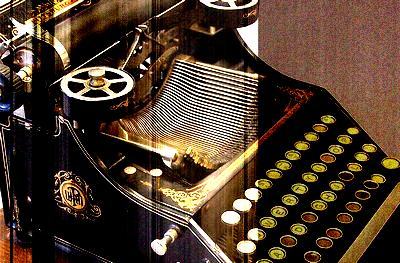
One of the things I have been doing lately is collecting tidbits of useful software tools and links for writers. I'd love to imagine I would be like Larry McMurtry, hammering away at an old manual typewriter, or J.K.Rowling, scribbling down chapters on a pad in a restaurant. However, I understand the power technology can have helping writers stay organized and easing the editing process.

Here is a collection that I have begun to put together. While these are offered primarily for "traditional" writing compositions--short stories, novels, longer non-fiction works--fellow bloggers might find them useful for enhancing their blogging works as well.

(Mostly) Freeware Writing Tool Software Solutions:

yWriter: Free novel writing software. Helps you to organize your novel, sort chapters, do summaries, save progress logs, detail characters, goals and conflicts. Really clever piece of work.

RoughDraft - Freeware word processor designed by a writer to help with writing.

Liquid Story Binder - $$ word processor designed for writers and poets. This program has a very slick and polished look. It contains a "binder" to manage the project, image handling, notations, chapter outlining, story boarding, timeline management views, and a simple writing window. I'm defineately downloading and trying this one out. Looks like it might qualify for a Valca purchase!

Dark Room - Free, simple little program. Lets you do basic text writing in green font against a black background. Distraction free.

AbiWord - This free word processing program is very similar to Microsoft Word. I know quite a few "geeks" who swear by this little beauty. It is actually a really polished, full-featured program. Good for those of us who still have Office 97 installed on our home PC's and just can't bear to spring for the latest Microsoft Office suite. We are aspiring writers, you know! If you are so poor you can't even afford to have a laptop and want to take your writing projects with you, get a USB drive and stick Portable AbiWord on it. Write where you go!

Open Office and Portable Open Office. I don't think I need to say anything else. Go get it.

Scribus - This is a free open-source multi-platform application for professional page layouts. It is really nicely done and a great alternative to Microsoft Publisher (though not quite up to Adobe PageMaker comparison yet).

The Sage - This is a free standalone English Dictionary and Thesaurus software application. Why? Don't most word processing programs have that built in? Doesn't the web work for looking up words? Well, yes...but you can keep this little guy on your USB stick as well, great for traveling and when the Net is down. Also, the features, depth of information, wild card searching and cross linking make this application leaps beyond anything embedded in a word processing program. Definitely a must-have for any writer or blogger.

Tips for Writers - Linkage:

Lifehacker - writing posts and Lifehacker - Jumpstart your writing tips The Lifehacker blog continues to provide me a wealth of inspiration for both writing and living life. A daily must-stop location on my web-travels.

Elmore Leonard's Ten Rules of Writing - I keep re-reading this thing and get a new lesson each time I do.

Judith Kelman's Writers' Room - A great stop for aspiring authors full of advice and tips and the business of being a writer and getting published.

WritersDigest - The web face of a perennial periodical publication for writers. Tools, resources, contests, forums, the links go on and on!

William Strunk Jr's classic, The Elements of Style - Archived on Bartleby.com. Published in 1918. Old school writing rules at their best! (The web-site is kinda pop-up ad'ish so set you popup blockers to "destroy" first.)

See you at the keys,
--Claus

Friday, July 07, 2006

Quality Meerkat TV


The Valca home has found what it currently believes to be the best reality show on TV: Animal Planet's Meerkat Manor.

Wayward children, gang-fights, illicit romance, crazy family members, an iron-toothed matriarch. What more could you want to watch on TV? And delivered by a cute little bunch of furry actors that work for bugs, worms, and small amphibians.

What could be any better than that?

(Note: the show kinda feels heavy with anthropomorphism, but the little meerkats are so cute, it's easy to look the other way on this.)

--Claus

Firefox Memory Leak Solutions


Some number of weeks ago, Dwight teased me on his blog about how my system was handling Firefox's use of memory with all the extensions I am running.

If you are a Firefox user and not familiar with this issue, Firefox has a way of taking up a chunk of memory. In addition, if you open your Windows Task Manger and click the Processes tab and watch the firefox.exe Mem Usage value you might notice it keeps getting larger the longer you use Firefox.

My system is a XP SP2 Home running on 512MB system RAM, a 128MB AGP video card, and a AMD Athlon XP 2400+ processor on a Shuttle brand mini-pc systemboard. Not top of the line, but it is quite speedy for my home base pc needs. I've never noticed any slowdowns on my system or had any "memory usage" problems. Firefox always seemed peppy and I can run multiple apps without much performance worry.

So while tracking down some suspicious hard-drive activity the other day that was hitting my system performance at boot (more on that in a future post) I left the Windows Task Manager open so I could keep an eye on the running processes and Mem Usage.

Imagine my surprise to find firefox.exe eating up 135,408 K and still slowly-but-steadily creeping upward!

Now let me pause for a moment. If you (like me) aren't noticing any performance issues with Firefox or your system in general, then you probably don't need to worry about anything. Who really cares how much memory it needs and is using if it is working to your satisfaction.

I however, being a curious sysadmin, wanted to see if there were any Firefox tweaks that might cut down the Mem Usage. Even though it really wasn't needed.

After searching the web and finding a wealth of dubious hacks and tricks to deal with Firefox's memory, I went to the source for my best information discovery: Reducing memory usage - Firefox - MozillaZine Knowledge Base

On this page, the documentation lists several about:config level settings that may help:

browser.cache.memory.capacity,
browser.cache.memory.enable,
browser.sessionhistory.max_total_viewers, and
config.trim_on_minimize

So I started trying them. Here's what worked (and didn't) on my system.

browser.cache.memory.enable: This setting controls using memory to cache "decoded images, chrome (user GUI elements), and https pages. It is set at "true" by default. When I set this to "false" and not cache those elements, my firefox.exe mem usage dropped significantly! CAVEAT: I did notice that a few web-pages will not load under the "false" setting value. I just got a blank page. Swapping the value back to "true" allowed the pages to load. This is a known issue.

browser.cache.memory.capacity: Setting doesn't have an impact unless the one above is set to "true." My system has the default setting value at 65536. I knocked it down to 22528 to match the setting value for 512 MB physical RAM in the page description's table.

browser.sessionhistory.max_total_viewers: Controls how many recently viewed pages to store in memory so they load faster in the Back and Forward buttons. The default value is -1 which lets firefox automatically decide based on system memory (for me it would be 5 pages). I manually set this value to 3 pages to store, a reduction in two pages.

config.trim_on_minimize: This setting is not listed in about:config by default. You have to manually add this key and set the value to "true." I did. According to the documentation, it releases most of the memory in use by Firefox back to the Windows system when Firefox is minimized. This would then mean more memory would be available for use for other programs. I tried it and it didn't reduce any memory in use by Firefox. No change. There are a number of forum comments that suggest this feature is now disabled in Firefox 1.5.0.1 and greater. Some users swear it still works. I just know it didn't do anything for me. So I removed it.

With the changes I made listed above, I was able to successfully get my firefox.exe Mem Usage value to hover about 55,000-60,000 K. It very rarely got much higher than that. The only "bad" thing was that I had to go back and toggle the "browser.cache.memory.enable" value back to "true" to load some web-pages.

So, what was my final configuration?

I ended up leaving the browser.sessionhistory.max_total_viewers value set on "3". I will leave the browser.cache.memory.enable value set to "true" as I'm not the only one using Firefox in the family and it is annoying to have to toggle the value back and forth. I also left my browser.cache.memory.capacity set to 22528 to match my physical RAM value. Not a big change, but I figure even these small tweaks can help a little bit. Your mileage may vary depending on your system and software. Right now the "Mem Usage" is still hovering in the 60,000-75,000 K range. Not bad from my previous 135,000 K range.

More Related Tips

If typing "about:config" in the browser bar is a hassle to get to the preferences page, you can make a bookmark for the about:config and place it on your bookmarks toolbar for quick-launch.

AboutConfig (ff) extension: simply adds an about:config button to your toolbar.

MR Tech About:About 2.2 extension adds a slew of "about:" option links to the Help menu. Handy as quick launch links to these more detailed Firefox configuration option windows

Preferential 0.8.1 extension adds a Tools item that opens the about:config items in a hierarchical "tree" style window as well as light documentation as to what each item does.

Leak Monitor 0.3.4 extension pops up an alert window describe when chrome windows close but leave code pointing at JavaScript objects. I used it for a while but you can't toggle it on/off and after a while, it was too annoying popping up all the time -- pesky bad-code writers. So I uninstalled it.

See you in the skies,
--Claus

Monday, July 03, 2006

This Week in Tools

I ran AM-Deadlink the other day to find if any of my bookmarks have gone stale.

It is a really useful freeware program that works great with all flavors of IE, Opera and Firefox. Besides checking your bookmarks, it can download those wonderful FavIcons as well.

How many bookmarks am I carrying in my Firefox? Try 1126! Wow. On this past run I had to ditch about 20 as being lost to the web. Not all of those are ones I really keep up with. I have a bookmark folder called "Blogged" that I dump most of the links I blog into, just for prior reference. Eventually I go through and delete them. A few get moved into my "To Sort" bookmark folder to simmer. The chosen few will get moved from their into their final resting place in my bookmark folders, proper.

More wonderful web finds this week:

Drive Manager - freeware. This standalone application gives you a wealth of data on your Window system's drives. I've recently come across this one and really like it. I've added it to my USB utilities stick.

HD Tune - freeware. Another wonderful hard-drive HD utility. Allows you to benchmark your hard-drive with a series of tests, provides a wealth of detailed information on partitions, features, firmware version, serial number. It can read the S.M.A.R.T data (on newer drives) to provide health status, provides the temperature, and scans for errors. It's a handy diagnostics tool. Just having the ability to read the serial numbers instead of physically pulling it out of the chassis makes it worthwhile.

Need a wealth of BIOS and ATA details on your hard drive? Not afraid to go "old-school" DOS? Try TerabyteUnlimited's DISKINFO utility (about midway down the page). Download and unpack the zip file. Next go and get a DOS 6.22 boot disk. Don't have one? Make one from this page. Or this one. Now go and copy the diskinfo.exe file onto that floppy. To use, just boot your system from the DOS diskette and then run the command diskinfo > info.txt This will output a text file named "info.txt" with your hard-drive information to the floppy. Then use the EDIT program to open the file and read the data.

Why would you do this you ask? Well, suppose you did the proper thing and secure wiped your HDD. Suppose you did a ton of them and forgot to record the hard-drive serial number using one of the hard-drive apps mentioned above before you did that. Suppose also you needed to record each drive serial number for auditing purposes. Now consider opening all those cases to get pull the physical drive out to look on the label, or using a DOS 6.22 boot floppy and this application. Which sounds better? Uh-huh. I thought so. (Don't ask how I figured this technique out....I'm sure you can guess.)

My personal favorite Windows Explorer replacement utility freeCommander has just been released at version 2006.06. It's freeware. If I could only use one file-explorer type program, this would be it. It has a ton of supporting utilities like file compression software, secure file wipe, MD5 checking, folder size calculation, file attribute modification, filtering, etc. all built in! It is a real winner.

Doublekiller - freeware This application is a real gem. It is a easy to use utility that allows you to search folders and drives for duplicate files. You can filter the results and set any number of comparison criteria. It is very fast. The developer also offers a more fully enabled Pro version for a modest cost. Every user should have this in their utility folder. If you are a file pack-rat like me, it can save you a lot of time weeding out duplicate program files and folders. Just delete with caution!

How do you launch the documents and applications on your USB stick? Do you open Windows Explorer and browse through your folders? Try PStart. This little tool from Pegtop is very versatile and easily customized. Just launch this little app and away you go. John Haller at Portable apps has some tips for using PStart with an autorun.ini file on your cd-roms. You can make a quick and easy cd auto-run menu. Heck, check out all of John's Portable Applications. I carry many of these on my USB stick. They even work great right off your hard-drive.

Not enough? How about checking out the Top 100 Network Security Tools as compiled by the security experts at INSECURE.ORG. There is a wealth of tools here--for all OS platforms. Also can be sorted by category. Anyone interested in information technology security tools should take the time to review the list.

Want to play James Bond? Or are you a respectable lady looking out for camera hiding pervs? Check out the "Spy Finder Hidden Camera Detector." Does it work? I don't really know! But it is a clever idea of technology attempting to meet technology.

Shameless plug: Fred Gallagher's Megatokyo volume 4 is out on the shelves now. Go snag a copy.

I got mine at the local Borders last week. It is a heartwarming look at an animie-fanboy's and a hard-core l33t gamer's lives as they muddle through an accidental life in Japan. It's got romance, zombie queens, angels and hamsters with wings, and voice-actresses. Oh yeah, let's not forget that awesome Sony PS accessory known as Ping.

A handy print copy of Megatokyo seems like a mandatory tool for this anime otaku!

Happy 4th of July, America.
--Claus

Sunday, July 02, 2006

(Almost) All about Gmail

There are few things one can do for me to have me indebted to you for life.

Be a family member (by choice or birth), bequeath a couple million dollars (to me), provide outstandingly unexpected customer service...stuff like that.

One thing a co-worker did (to which I am grateful for) was to give me an invite to Google's Gmail service. It was kinda like the feeling that comes when you were one of the first kids picked for a game of kick-ball--and not the one of the last. Belonging, acknowledgment, coolness.

What was once a passing dream has now become a tool to a plethora of web-services and contacts. Having a Gmail account gets you into the door of many of Google's fantastic services. Yeah, you still may need to wait in line at the bar--like with Google Analytics--but you will eventually get your beer.

One of the greatest features about Gmail is its flexibility in usage. Let me illustrate:

I was checking my feeds this morning and over at Google Blogoscoped found a post that some Gmail users are now being treated to a "delete all spam" feature. Currently I have to click the "select all" link then "delete forever" to rid my account of the spam mail. Now a single click is all it takes for some users. Yes, moving from a two-click process to one-click isn't earth-shattering but the refinement is a nice feature.

Anyway, in the post comments was a reminder that Gmail users can take advantage of the way email systems work by adding a "+whatever" to the end of their gmail address and the mail still comes to your account. i.e. if my email is joeuser@gmail.com then I can use joeuser+winmesomething@gmail.com as my email address when registering to win a new toy on the web. Then I can make a folder in my Gmail account "prizes" and set a filter to dump all mall to "winmesomething" into that folder, keeping my main account clean. Nice.

I also found this handy chart from Jochen Topf to show (and explain) what characters you can (and cannot) use in your email addresses--and why. It was nicely informative. Characters in the local part of a mail address

Here are some more handy references to Gmail usage.

Gmail Space, a Firefox extension that lets you upload files into your on-line Gmail storage.
Gmail Drive shell extension, a plugin for Internet Explorer that does the same thing.
Gmail Hacks at O'Riley, more a basic introduction to Gmail than "hacks" but still useful to noobies.
Gmail Tools and Plugins, a long and helpful list of Gmail releated items to expand Gmail's usefulness. From Robs Blog.
Gmail Articles and Resources, good listing from About.com of all kinds of tips on using Gmail.

Happy Gmailing
--Claus

Saturday, July 01, 2006

Hitler's Ghost and a Deep Hole

The other day when trolling the web for American propaganda posters from World War II, I came across this:

What History Doesn't Tell You: The Unknown Stories of WWII

A satiric look at the "truth" behind some propaganda posters...or not.

Damn Interesting >> The Deepest Hole The Kola Superdeep Borehole was Russia's attempt (begun in 1962) to deep drill a hole through the earth's upper crust to the layer where the upper-mantle region meets it. In 1994 they finally gave up at a depth of approximately 7.5 miles, but only because the rock became too soft for the hole to remain intact when they had to pull the drill.

It is a fascinating article on an obscure "science race" the Russian scientists and Americans pitted each other against. Some of the scientific findings are amazing to consider. Even today a new project The Integrated Ocean Drilling Program seeks to try again--in a new location.

Isn't history fun?
--Claus

Things to See

I have always loved artwork.

One of my favorite classes in college was my history of art class. I can spend hours in our Houston Museum of Fine Arts building just sitting and taking in the beauty. Once in a while I may take off early from work (or take an extended lunch) and just go there to decompress.

Some things to see I have come across this week on the web:

Sushicam's Picture of the Day: A new view of life in Japan, daily. Wow. One of my daily stops around the world.

Japanese artist Kenichi Hoshine living in New York He brings a sparse yet powerful style to his paintings.

The RIJKSMUSEUM A rich and extensive collection in the Netherlands containing Dutch masters, Rembrandts and other period pieces, in high resolution images. Now the docent's can't tell you to back off! (Yes--I had that happen to me once at an Ansel Adams exhibit.)

Artist Charles Reid paints light and airy watercolors. See his works over at Stremmel Gallery and The Munson Gallery,

Lost Films, Yes, you know you've done it. Taken some pictures with your film camera and either left the roll in there for years or took it out and never had it developed. This web-citizen collects old cameras and has developed some of the film he has found left in them. It is a haunting look back in time and a fascinating look at older cameras as well.

Just plain bad (in a funny way). 23<Kitty> I can't read Japanese so I don't know for sure what this blog's title is. Anyway, this post has a large number of disturbing pictures. Some of which I was able to share with Alvis--some I didn't dare!

Speaking of kitties...here are some crazy cat pictures--like we don't have enough on the web already. Catsize Entertainment

--Claus