Showing posts with label Education. Show all posts

Saturday, January 11, 2014

Astronomy Software freeware

I don’t believe I’ve posted any significant lists of astronomy freeware software since 2006.

Last week I saw Microsoft released version 5.0 of their WorldWide Telescope project so it seemed a good time to post that and a few others.

Then there is Celestia.

You can install nice add-on features via packages from The Celestia Motherlode including both real and fictional spacecraft.

And there is also a Celestia Portable version as well.

Couple either of these with Stellarium (or Stellarium Portable) and you have a very nice package for your star-gazing activities.

As a handy supplement there is also Google Sky. Read the About page for a quick rundown of the features.

If you want even more software options, check out this gizmo’s freeware posts that outlines many more options: Best Free Astronomy Software

Claus V.

Sunday, October 20, 2013

Forensic News Flashes - New Projects and learning opportunities galore!

It’s late and has been a super-long weekend.

Lavie isn’t too impressed I’m still sitting at my desk working on posts.

In the meantime, I’m commited to getting this last bit of ForSec linkage collected over the past few weeks out the door so you can have fun reviewing it this week.

Those young and crazy pups over at the Computer & Digital Forensics at Champlain program have clearly caught their dean napping. In an interesting series of posts, they attempt to wreak havoc on different hard-drives and then try to put humpty-dumpty back together again.

MantaRay Forensics - anTech Triage & Analysis System. As far as I can tell, this is the first time I have posted any mention of MantaRay Forensics here at GSD.  Spotted in this C&DF@C post Swimming with MantaRay Forensics

MantaRay was designed to automate processing forensic images, directories and individual files with open source tools. With support for numerous image formats, this tool provides a scalable base to utilize open source and custom exploitation tools. MantaRay was developed by two forensic analysts, Doug Koster and Kevin Murphy.

ForGe Forensic test image generator v1.1 - Git Hub project page. from the Overview description:

ForGe is a tool designed to build computer forensic test images. It was done as a MSc project for the University of Westminster. Its main features include:

  • Web browser user interface
  • Rapid batch image creation (only NTFS supported)
  • Possibility to define a scenario including trivial and hidden items on images
  • Variance between images. For example, if ForGe was told to put 10-20 picture files to a directory /holiday and create 10 images, all these images would have random pictures pulled from repository.
  • Variance in timestamps. Each trivial and hidden file can be timestamped to a specific time. Each scenario is given a time variance parameter in weeks. If this is set to 0, every image receives an identical timeline. If nonzero, a random amount of weeks up to the maximum set is added to each file on each image
  • Can modify timestamps to simulate certain disk actions (move, copy, rename, delete)
  • Implements several data hiding methods: Alternate data streams, extension change, file deletion, concatenation of files and file slack space.
  • New data hiding methods can be easily implemented. Adding a new file system is also documented.

Developer Hannu Visti goes shares a great post over the features and background of this tool over at Forensic Focus. ForGe – Computer Forensic Test Image Generator.  This could be a really fresh and innovative tool to help with both simulating forensic images for training and drill purposes. Very interesting and well worth the time to check out. It’s beyond my skill set to review and comment on but if any of the ForSec pros out there have any thoughts or comments, please feel free to drop them in the comments here for our community education.

Linkz 4 Free Infosec and IT Training - Journey Into Incident Response - Corey Harrell goes above and beyond with an outstanding listing of trainings, exercises, and learning resources that are ForSec focused and absolutely-friggin-free for the taking!  Corey promises to keep the listing updated so bookmark the page and check back often. I’m particularly interested in the CSIRT-like topics and materials listed like those in the ENISA CERT linkage. I’ve downloaded most all of the PDF versions already to review this week as time allows!

Many of these trainings have supplemental videos and VM’s for download too!

Other specific courses from Corey’s post I’m listing below so I can find them quickly…

What 'tier 2' & 'tier 3' tools do you load on your forensic workstation(s)? - ForensicKB blog - Lance Mueller has a great list of Tier 2 and Tier 3 apps he considers. I’m pleased to find more than a few in my toolkit already. Note that not all of the software listed here is necessarily free or open-source. More than a few are commercial applications. That’s not at all a bad thing, but just something to be aware of.

 Windows Incident Response: Shell Item Artifacts, Reloaded - Harlan Carvey undertakes some very methodical validation exercises on Windows shell item artifacts. Definitely worth reading.

Meanwhile, from another ForSec guy who appears to never sleep… Brett Shavers has been in a posing frenzy over at his Windows Forensic Environment blog site.

Best publicly available testing of WinFE I’ve seen to date - Windows Forensic Environment (Note post info is good but link in it has been superseded by one found in post below.

Updated link on the Mistype project - Windows Forensic Environment

WinFE - direct link to the article mentioned. I agree, it is a truly fascinating read for WinFE aficionados. I’m coming back to read this one carefully this week.

Mini-WinFE - Windows Forensic Environment - This post has tons and tons of screenshots to illustrate the new Mini-WinFE project as well as an introduction that goes over the project features. Very basically, this specific project (1 of 3 promised for alternative WinFE building) allows you to roll your own WinFE boot disk in a “minimal” configuration with FAU utilities, FTK Imager and support for X-Ways Forensics. Total build time is estimated at 10 minutes from start to media in your hand.

Mini-WinFE is out of beta! - Windows Forensic Environment - See you waited too long! The first link was requesting Beta testers. Now it is released!  Direct project link here via Reboot.pro and extensive Mini-WinFE project documentation from Misty is linked here.

Quick video on building a Mini-WinFE - Windows Forensic Environment - a very short (3:33 min) YouTube video is available on this post page for those who want to check out the building process.

Since we are on a WinFE bender, let’s shift gears slightly and use that excuse to post a link on the WinFE’s kissable cousin for sysadmins who aren’t quite as focused on disk read-only preservation, WinPE.

How to Customize Windows PE Boot Images to Use in Configuration Manager - Chris Nackers Blog. Chris links to this Microsoft TechNet resource How to Customize Windows PE Boot Images to Use in Configuration Manager

New website and project roadmap - DEFT Linux - Computer Forensics live CD - The DEFT development team has put some fresh paint on their website as well as outlined where they plan to head in the coming months. Congratulations to DEFTA President Stefano Fratepietro and all the community and project contributors who have worked hard to make DEFT Linux a premiere Forensic live CD resource! From that post..

Here follows the forthcoming milestones concerning the new versions of DEFT 8, Virtual Appliance and User Manual.

  • DEFT Linux 8.1 with relevant news for Mobile Forensics – November 2013
  • DEFT 8 VMware Virtual Appliance – late November 2013
  • Roadmap of projects supported by donations – December 2013
  • DEFT 8 User Manual – February 2014
  • Third Italian National Conference DEFTCON 2014  – Polytechnic of Milano, April 11, 2014

Installing VMware Tools on Kali Linux and Some Debugging Basics - SpiderLabs Anterior - Christophe De La Fuente goes to the mat to show some advanced debugging skills in getting VMware Tools onto Kali Linux. As is pointed out in the comments, there are easier ways to do it, but the experience shared of the road taken makes us all a bit wiser. Which this post then led me to discover and add to my RSS feed pile…

Computer Howto's by Lewis Encarnacion - Lewis’s posts are great. Covering not just Windows 7 topics, but also some of the finer points in using and getting comfortable in Kali Linux.

FAU -version 1.3.0.2464 - Speaking of the Forensic Acquisition Utilities (FAU) it seems a new version came out in August 2013. I don’t think I caught that release. The link has a “what’s new” jump as well as the new binary set download link but for the lazy…from that source:

  • Volume_dump and DD now recognize drives with BusTypeSata as devices supporting the ATA feature set.  ATA specific attributes are reported for these drives.
  • Fixed a problem with the DD --verify option when writing an image to certain to certain drives.  Under certain circumstances the DD --verify option reported a spurious failure even though the reimaging of the target drive succeeded and the cryptographic checksum of the destination drive was in fact identical to the cryptographic checksum source image file or drive.  This problem did not affect the accuracy of the reimaged drive but required that the user to validate the target drive after the imaging process was complete.  Thanks to Suman Beros for reporting this problem.
  • When acquiring a physical drive DD now drops the block size down to the device block size when approaching the putative end of the source drive.  Hard drives often misreport their capacity either by over estimating or under estimating the true size.  The only reliable way to image a hard drive is to attempt to acquire beyond the purported end of the drive and see if valid data is returned.  However, we have encountered a few drives that freeze or hang the imaging process if you attempt to read beyond the end of the drive with a block size that is greater than the device block size.  Needless to say, this can be disconcerting when you have already read 1 TiB of data only to have the whole process hang on the last few sectors.  Dropping down to the device block size when approaching the end of a drive should produce more reliable acquisitions.  A disadvantage is that drive acquisition will be slower at the end of the drive.
  • Examples have been added to the DD help text which show how to acquire a physical drive.

That’s all for tonight!

Cheers my friends.

Claus Valca

In the SysAdmin Lounge

Tips, trainings and warnings for the sysadmins in IT.

Starting on December 1st, Universities that license Office Education for their faculty and staff can offer students Office 365 ProPlus for free thanks to a new program called Student Advantage. For students at these institutions, that means free access to Word, PowerPoint, Excel, OneNote, Outlook, Access, Publisher, and Lync. While many cheaper alternatives to Office have sprung up, many students still rely on Redmond’s good ol’ productivity tools.

Microsoft’s Virtual Academy has published a training course specifically for SysInternals Tools, including Process Explorer, ProcessMonitor, PS Tools, PsTools, Autoruns, etc.

Microsoft Premier Field Engineers step through a technical deep dive on utilizing SysInternals tools. This course focuses on key administrative and diagnostic utilities and addresses key insights, and best practices.

Cheers

Claus Valca

Saturday, September 08, 2012

Trouble with The TEDinator

One of the weekly doses of encouragement, motivation, and inner growth I take in are the regular presentations on TED.

However, I don’t yet have a data-plan on my growing-older mobile phone and I cannot always count on WiFi availability running around.

What does work is downloading TED talks locally and then keeping them on my laptop for later viewing or conversion/transfer to my phone.

To aid in that process I have been relying on an awesome tool called The TEDinator coded by Obin Shah.

Obin updated it back in May to version 3.0 and it really has rocked.

So when I recently learned about an older 2005 TED presentation, Richard St. John's 8 secrets of success - TED.com, I went to The TEDinator to fetch it…and was greeted with this error:

2gsebpzj.1qz

The TEDinator error was:

Ouch!!! We just had a Boo-Boo!!
Length cannot be less than zero.
Parameter name: length

Granted, at least Obin coded it as a “kind” error. That was a nice touch.

I checked the settings and everything looked cool.

Usually the primary problem I find with these “download” helpers is that the provider has changed their URL patch format slightly requiring the developer to tweak it again to keep up.

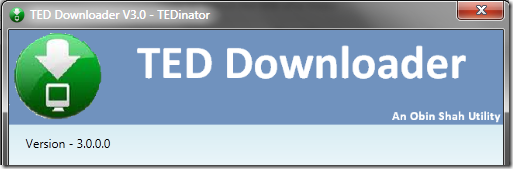
I checked the version and it was listed as Version - 3.0.0.0

mu4fza30.mwy

So I then hopped over to Obin’s site Scenario-Solution to look for an updated version.

No dice. Still listed as V3.0 from July 1, 2012.

However, I was curious to see if others had been running into the same issue and dove into the comments.

I found a brief thread from August 30th about someone else having the same issue.

There wasn’t any mention of a fix, but on a whim I went ahead and downloaded The TEDinator again from the link on the page which hosts the download over on bitbucket.

And the downloads worked again!

naeya1td.wd2

So what up?

I checked the version number of the working one.

svh3yw1i.1m2

Still the same version 3.0.0.0.

However the binaries are clearly different. 

First the non-working TEDinator properties:

File version 3.0.0.0
Size: 679 KB
Original filename: TEDinator.exe

Next the working TEDinator properties:

File version 3.0.0.0
Size: 601 KB
Original filename: TEDinator.exe

Clearly they are different binaries despite the same internal file version listing.

I am a bit surprised that Obin didn’t seem to clearly post information that a version change was made. This might be confusing other TEDinator fans who are running into the same problem.

Solution: Just hop over and redownload the “updated” version 3.0.0.0 TEDinator binary and you should be good to go.

I’m hoping that Obin will kindly provide some brief changelog or explanation as well as bump the version number to be more clear internally or from his TEDinator page that this is an updated version to fix a problem with the older one. Some of us geeks like that sort of thing and find it helpful.

TEDinator V3.0.0.0 (the updated one): Highly Valca recommended.

Cheers!

Claus V.


Bonus:
Richard St.John also provides some motivational wallpapers based on the principles in his “Eight Secrets of Success” presentation.

I like the iconic style of them from a graphic design perspective and may need to come up with my own custom wallpaper based on my own set of core values and processes.

Originally spotted via The Eight Secrets of Success, According to TED Attendees - Lifehacker

Saturday, August 04, 2012

Free Quality On-Line Learning Resources

I was reading the local on-line news and found this curious article:

Rice joining other elite schools offering free online courses - Houston Chronicle

Rice is not my alma mater (go Cougs!) but even I must confess Rice University is an elite school.

I did some digging and found the web-site they (and other schools) are offering their courses through.

Coursera 

What seems to make the classes offered by Coursera so amazing isn’t just that they are from highly respected and well know colleges and universities, but these aren’t just “giveaway” on-line classes.

No. You need to enroll and the regular class sessions run over a number of weeks.

I looked at some of the IT/Security related ones as they are my current career field, however, they also have many other categories such as biology, economics, business/management, education, medicine, mathematics and physics. Cool!

You may not be able to apply them to a degree, but ongoing educational opportunities like this are incredibilly valuable…both to your career or just keeping the brain-cells active and challenged…especially if you select courses outside your comfort zone.

Check these IT-related offerings out to see what classes are current active or starting soon.

I’m overwhelmed to find this opportunity.  I’m resolved to take at least one class starting either this fall or winter to begin challenging myself.  Maybe programming in Python?

Likewise, if this structured approach isn’t your bag, our favorite TinyApps bloggist has uncovered another amazing source of IT-tech training material. These are less interactive and more watch-n-learn, but still look pretty useful…especially covering subjects you may not be as familiar (or fresh) in.

Take a look at these categories over at TheUrbanPenguin; Linux, Windows, Novell and Citrix

Finally, Code Academy now has a (free) Python course that seems to cover some of the basic foundations. I’m not a Python coder, but I see many projects I do use rely on Python.

Finally, these fresh offerings from Aaron Margosis aren’t really classes, but are educational nonetheless;

  • From TechEd: Legacy Web App Issues, Sysinternals Gems, webcast with Mark Russinovich - Aaron Margosis' "Non-Admin" and App-Compat WebLog
    • Defense Against the Dark Ages: Your Old Web Apps Are Trying to Kill You - Video 1hr, 15m - “The Web browser is the primary path that malware uses to get on users’ computers. Web browser security (especially Internet Explorer’s) has improved dramatically in the past few years to defend against evolving threats. However, continuing to build and maintain Web apps using old practices defeats many of these improvements and leaves your users’ computers more vulnerable than ever. In this session, you will learn why those formerly accepted (or at least tolerated) practices are surprisingly harmful and now must be updated. You will also learn ways to update web apps quickly so that you can adopt more secure practices without stopping your business.”
    • Sysinternals Primer: Gems - Video 1hr, 15m - In the latest edition of the popular Sysinternals Primer series, join Aaron (Mark Russinovich’s co-author of The Windows Sysinternals Administrator’s Reference) as he goes mining for gems. Uncover buried tips and tricks to get the most out of popular tools such as Process Explorer and Process Monitor. Discover treasures among the least-known Sysinternals utilities – tools that you would have been using if you had only known about them sooner. The Sysinternals utilities are vital tools for any computer professional on the Windows platform. Mark Russinovich's popular "Case Of The Unexplained" demonstrates some of their capabilities in advanced troubleshooting scenarios. This complementary tutorial series focuses primarily on the utilities themselves, deep-diving into as many features as time will allow.”
    • Webcast: Mark Russinovich and Aaron Margosis: Sysinternals, Stuxnet, AMA -  Video 52m - “Mark Russinovich and Aaron Margosis discuss Sysinternals tools, computer viruses, hackers, hacking and more with Charles Torre.  Questions from a live virtual audience are addressed.”
    • TSSessions Utility - “TSSessions is a utility I wrote to enumerate terminal services sessions, window stations and desktops.“

Get learning!

--Claus V.