Wednesday, June 14, 2006

Request for XP Advice...

OK.

I know there are some loyal friends out there. My wicked-cool Google Analytics account tells me so.

I'm needing some advice.

I'm going to be putting together a DVD data disk to support XP Professional systems. I've got a ton of tools picked out for it (mostly the stuff on my USB drive).

On my Windows 2000 disk like this, I have a good collection of Microsoft support essentials: W2K SP4, various security patches and drivers (major ones), etc. But I don't really know what specialized Microsoft stuff to collect for XP.

Let me be specific...I'm looking for stuff from Microsoft. Critical patches and software "enhancements" for the business environment. Things that I might want to have handy if I loose network access but still need to install or to save the time to download off the net.

Here's what I have so far:

XP SP2. (I don't see a real need for this as our images already include the SP2 level on the install, but figure it would be good to have anyway.)

WindowsDefender. (Even though it is buggy beta, some protection is better than none.)

XP Service Pack 2 Support Tools (unpacked)

IE6 SP1 - In case I ever need to do a clean reinstall.

User Profile Hive Cleanup Service (I like this extra level of protection for my users. I've seen to many corrupted profiles on my W2K systems lately...)

Update for Windows XP (KB918005) - Patches XP laptop systems to address battery drain in specific circumstances.

We don't really use the .NET framework software on our machines, but it is a big download so maybe that would be good to keep handy....

I'm nosing through Microsoft's Windows Update Catalog (a really handy manual update download resource for IT sysadmins) but so far not much has struck me. (You need to be running IE 5.5 or better to view this page.

So team, what else do you recommend? As Dwight would say, "Comments are open!"

Here are some links in gratitude:

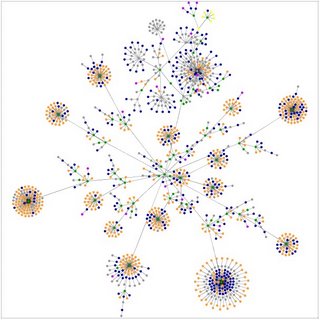
Picture above is from "Websites as Graphs" Put in your website and it will (slowly) display a graphical image of your site-map. Pretty. via BLDGBLOG.

Hunt Down memory leaking apps in Firefox: Leak Monitor. via downloadsquad. So to answer Dwight's question to me...I haven't had any bad memory leaks with Firefox (even with those tons of extensions I run) even with just 512MB system RAM. The worst offenders I've caught were java-script leak problems with: GMail, CNN, and, yep, Chron.com. Go figure. Then again, I usually don't leave Firefox running all day. I open and close as needed.

FEBE and CLEO: Firefox extensions to back up your extensions. FEBE lets you take an installed extension and repack it as an installable .xpi file. Handy if you have made some "tweaks" to them. CLEO will take the extensions and/or themes you select and package them all as a single .xpi so you can install at once. These tools look to be really useful! via Lifehacker.

This new Shuttle product the XPC X100 looks trim and proper with a high coolness factor. Might make a nice living-room pc.

In the "Creepy" department. BLDGBLOG has found "Transformer Houses." These bizarre things are attempts to conceal ugly power sub-stations as residential homes. I've seen cell-towers made to look like trees, but this is creepy. Anybody know of any similar things around Houston?

See you in the skies,
--Claus

Friday, June 09, 2006

Wireshark, Numbers, Image Tools


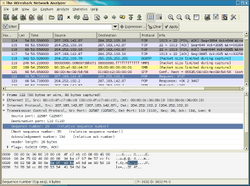
The wonderful open source packet capture program Ethereal is now Wireshark.

AnalogX has a great collection of freeware applications for networks, music, programming and systems--including PacketMon. A really small but useful packet capturing application. Fits on a USB stick great!

Don't pass up a look at Foundstone's free security tools. Heavier duty fare here. Network security applications, forensic tools,

Symantec figured out the source of those wierd spam messages with funky number combos in the message body are actually the result of what is named the W32.Beagle.FC trojan.

Quoting from Symantec's description, once a pc is infected, the trojan "...steals email addresses from the compromised computer and sends the information via HTTP to the rodolfomejia.com domain. The threat sends spam emails with random text in order to verify if the gathered email addresses are live to build a validated email list for sending malicious code or spam in the future."

Between Lavie and I, we have ton's of image software. Lots of complicated Photoshop and other similar image editing stuff. Dad recently asked about how to cut down the size of some digital camera images he had taken. They were so big, he was having trouble sending them out over his ISP email system.

I recommended he resize his massively large images down to a more palatable, email friendly size. Despite the number of applications at my disposal, I keep coming back to these:

FastStone Soft has a number of great freeware utilities that can get the job done:

FastStone Image Viewer - jam packed with all kinds of goodies. This is a flagship product. A great thumbnail browser as well. It's the image tool I go to first and most.
FastStone MaxView - mid-feature image viewer and manipulator.
FastStone Photo Resizer - purely designed to resize, rename, crop, convert and handle image conversions in batch mode.

PhotoFiltre is another heavy-duty I-can't-believe-it-is-free image editing program. The developer's site also has great tutorials, plug-ins and a gallery to really showcase what it can do.

ImageWalker is also a favorite of mine. I don't use it as much as I do FastStone Image Viewer, but I really love the "Filter Factory" plugin it comes with. Really fun way to manipulate images. It's still at version 2.20 after all this time, but I recently found the developer's ImageWalker Blog and he has version 2.30 Beta download from there!

Lastly, take a look at the Paint.NET application. It is now up to version 2.63 and looking really sharp. It's not a Photoshop killer, yet. But continued development looks very promising. Lavie's having fun playing with it.

Interesting Tidbits. I must say.
--Claus

Double-Play Goodness

Last Saturday I did one of those "Dad" things that's almost as beautiful as the perfectly turned double-play....

Alvis had been wanting to get wet...really wet...as in "wave-pool" wet all week. I knew we had a busy Saturday lined up, but had promised we would do all we could to make it to the wave-pool. By 4pm however, the day was still full and we were setting off to pick up a few last-minute gifts for Lavie's birthday.

I had called to the local bookstore to find out if they had the "Magister Negi Magi" manga editions we were hoping to get for Lavie--no dice. So that meant a longer journey to one of those "FOX" bookstores (you know, as in "You've Got Mail"). Alvis wasn't happy as she had done the math in her head and quickly calculated that this would probably mean no wave-pool. We had the standard father-daughter "discussion" about priorities and thinking of mom over ourselves. Dear Alvis's brain and heart were dealing with the conflictive feelings like only a pre-teen girl can really understand.

So, in a moment of pity and conflict myself, I quickly turned the car around and we shot out to the local mall. Maybe we could make it. However, a quick check on the cell-phone did confirm there was no way we could possibly get all the stops done AND make the wave-pool. They closed an hour earlier than we thought. Bummer. Now what?

We made an adjustment and picked up Lavie's birthday gifts. Somewhere between the food section and the manga section of the bookstore, inspiration hit.

At our next stop in Target getting cards (they have had the best selection of cards lately!) I sauntered over to the toy rows and started looking around the pool toys. Alvis perked up a bit. I bent down and looked at that wonderful invention known the world over as the "Slip'n'Slide." Ohhh! That did it. Alvis's face brightened like sunbeams breaking through storm-clouds. I asked her if she recommended the standard model (sheet of plastic, hose to water it down) or the "Bounce 'n Splash" model (an inflatable cushioned landing zone and a "pool" of water at the end).

"Definitely the Bounce model," said Alvis sounding suddenly much more grown-up and suspiciously like a most professional product consultant.

Plan still forming in my head, we then stopped by the grocery store and loaded up on picnic goods: potato and pasta salads, Frostie blue-cream sodas, Stewart's Key-lime cream soda, peach-tea Snapple. Plastic plates and utensils. Pink and Green Jello cups. The mandatory super-colossal seedless watermelon. Alvis loaded up the cart with three, ten-pound bags of ice carried at one time (is she really that big now?). We swung by Popeye's and grabbed a mix of fried-chicken and corn on the cob.

Racing back home we dumped everything but the chicken in the cooler and drug it out into the back yard. Alvis quickly changed into one of those darling gym-shorts/swim-suit top combos that daughters seem to love to drive their dad's mad in. Ten minutes later we had inflated the Slip'N'Slide and had it staked out in the backyard and Alvis was flying down the runway. Slipping and, well, honestly...sliding! The grass still smelled pleasantly fresh of green onions (a few are growing "wild" in the yard) and cut grass from the morning's mow.

Lavie got home from her afternoon errand run about thirty minutes later. We surprised her big-time. She joined me on the gliding swing and we held hands and watched Alvis continue to scream and giggle and perform different techniques for our enjoyment. Eventually we tucked into the cooler and chicken. Yummers. A round of Frisbee toss followed--playing that stupidly fun game of "let's see how many times we can toss it around before someone drops it."

Eventually the day wore down. Watermelon rinds littered our small compost pile. A big mud-pit had developed at the base of the Slip'N'Slide where Alvis's takeoffs happened. Bottles of pop littered the ground near the trash-can. Lavie and I held hands and negotiated with Alvis for "just ten more minutes..OK? I promise!"

Dad and Alvis ended up turning the perfect double-play. Wave pool, you ask? Forgotten.

Summer had officially began.

Spectator linkage

Turuya Ryokan - When I finally get over to Japan. I have to stay in a ryokan. It's like a traditional Japanese hotel. The Turuya Ryokan (English site) has a long and proud history. If I could decorate our home in any style--this would be very close to my perfect dream.

Speaking of home decorating, HG-TV is offering a fabulous web-based room planner. Pick your room, adjust the size, add furniture elements. Adjust. And re-adjust. Really fun and it is guaranteed to save your back from unnecessary strains.

Watashi to Tokyo blogged a while back about room layouts in Japan. One interesting thing I learned is that often, floorplans are listed in "tatami" units. Some are so strange, it really makes one wonder.

Danny Choo also expounded about the wacky world of rental/ownership life in Japan. It's one of those situations where you are crazy to rent, but also crazy to own. Nice humorous overview of some of the ups and downs of looking for property in Japan.

Bad news for you Windows 98/95/ME/Bob users out there! Not only did Mozilla seem to indicate Firefox 3.0 will not support any pre-W2K Microsoft OS, but Microsoft itself admitted that Windows 98 had a security flaw in Windows Explorer that was just so bad, itwasn't worth the effort to try to fix. Official support (security updates) is ending in July anyway for Windows 98/98SE/ME.

Want to fondly remember old web-browsing software? Can't find a version to run anymore on your old Windows 3.11 pc you still have chugging away in the garage? Head on over to evolt.org's Browser Archive. I installed Mosaic on our systems when I got my first job with my company and used Netscape Navigator at home back when it wasn't cool.

Microsoft may be planning an August release of IE 7 Beta version 3 - via AMCP Tech Blog.

Instructables has a pretty simple to follow guide on how to repair your remote controls. I have a fancy 32" TV that has a dual tuner built-in so I can run picture-in-picture without needing a VCR. Only problem is that it only can be controlled with the factory remote. Universal controllers don't work that feature. It's a real drag as the remote doesn't work. I've hacked it along for a long time, but it seems the metallic coating on the bottom of the rubber buttons that contacts the circuit board on many of the key buttons has finally worn off. I've heard somewhere that painting them with the same metallic goo used to repair breaks in a car's rear-window defroster will bring them back to life....

Finally, every now and then, I break out my artist-grade black-ink marker set and get to sketching. I love pen and ink sketches. I was delighted, then, to find Mattias Adolfsson's blog: MattiasInks. Inspiring stuff for the ink-sketchers. Mattias's "full" web-page has even more content.

Which leads me to close with Ed Emberly's web-page. As a kid, I spent almost every summer checking out Ed's illustration books for kids (and the kids at heart) from our public library. I would patiently followed the instructions and drew my basic shapes, added lines and dots and stuff and somehow end up with wonderful Emberly cars, buildings, dogs, flowers, bugs. I really liked the thumb-print people.

See you in summer skies,
--Claus
Grrrr

Sometime I could scream.

Worked for over an hour on a post. Decided to go ahead and save a few minutes time by using the Blogger editor. I almost always use the Performancing blog editor extension.

Well, wouldn't you know, the Blogger editor crashed. Bad.

I "recovered post" but it had less than a third of what I had typed. (I wonder what's really going on when I see Blogger flash that it was saving a draft copy automatically.)

I'm too tired to retype what I lost. Too bad. I was on a roll. Maybe I'll finish salvaging it tomorrow night.

Performancing seems to do auto-saves better. Yes, as an IT guy I know to run frequent saves on documents. I generally do. Sometimes, though, I get in the zone typing like crazy and I forget. Usually nothing bad happens. Sometimes.....well, you know.

Think I would have learned, huh?

Grrrr.

I'm going to look at some beautiful photos taken by the Japan Years crew and try to calm down. Then I'm going to bed.

Oh yeah, you Americans out there, when you wonder where almost the rest of the civilized (and uncivilized) world dropped off the face of the map to for the next few weeks--just remember one thing:

GOOOAAAAALLLL!!!

(Team Mandolux, Team Wallpaper Stock, Team Microsoft, Team Yahoo, Team FIFA, and Team Google)

I can't decide which team to root for.
--Claus

(Oh yeah. Now Blogger just went down for maintenance--so I can't even
post this half-hearted attempt now. Great. Well, maybe I'll stick it up in the
morning.)

Sunday, June 04, 2006

Tiny versus Modular Home Concepts

Let's digress from tech for a moment, shall we?

One of the subjects I first covered as a new blogger was the phenomenon of "tiny homes." These are very small sized homes.

Recently NPR ran an story on how "tiny home" proponents are responding to the needs of those impacted by the recent Gulf-Coast visitors Rita and Katrina: Tiny Houses Find a Friend on the Gulf Coast

Related links:

Tumbleweed Tiny House Company
Cusato Cottages: The Katrina Cottage
The Martin House Company: House-to-Go
The Small House Society

There seems to be something appealing in this concept. It is more home-like than a travel-trailer. And there definitely is a "kawaii" factor about them. No getting around the fact it is a major life-style change. You are forced to decide what bits of humanity are essential to your comfort and happiness--all else must be shed and not very conducive to most "family-living" plans.

Following a different flight-plan, Retrothing touched on modular housing. Here, you select the modules you want in your home-design and they put all the elements together. This seems more my style--modern and contemporary and clean--but still with unmistakable logic and order. (Stop laughing at me, Lavie!)

Muji+Infill Modular Housing (Japanese site) - Living in a Hurricane-zone, the concrete appeals to me.
Huf Haus - but it doesn't much compare to the post and beam look of these designs.
Oldcastle Precast Modular Group - Good and sturdy concrete boxes - just need some more work to make them more "home-style" for single-family dwellings.
fabprefab's containerbay - Houston is an international port city. Lots of shipping containers on the road. Considering that and the possibilities of modular homes, led me to this site.
Loft Cube -- Nice design work.

land+living -- modern design website. Not directly related but I liked it anyway.

Enjoy and dream.
--Claus

Saturday, June 03, 2006

Fast and Easy Video Web-Cam Setup

(Or...How to set up a web-cam for free video-to-video calling in 9-steps or less!)

In a previous post I mentioned that I had recently picked up a new toy for the pc. It's a web-cam. Not impressed? Well up to this point neither was I.

To be honest, I have considered web cams as being a very "niche" pc accessory. Let's be honest between friends. You know exactly what I'm talking about; watch a sunset, watch the traffic, watch fish in a tank, remote monitor a LAN room, watch the sorority girl and her friends...umm...share study techniques? Anyway, not really useful for daily living enhancements.

Each summer Alvis heads off to spend summer weekdays on the "farm" with Lavie's parents. We stay in touch throughout the day and night by phone, but she is a pre-teen now and sometimes a phoned "good-night" doesn't just cut it. The in-laws have a nice, new and decently-fast Dell along with a DSL connection. Green Acres it isn't anymore! I have our Shuttle system and cable-broadband. I figured the in-laws were sufficiently advanced now in computing to handle video to video web-cam operations and this would allow both Lavie to stay in better touch with her mom as well as us staying in closer touch with our daughter during the week's absence.

So, Claus was on a mission. Set up two web-cams for video-to-video calling--Jetsons style.

Step 1. Make sure your system can handle it.

As I mentioned we both had good pc's (both are running Windows XP SP2) able to handle the processing demands easily. We both also had broadband Internet service. OK. Check. Mission cleared to proceed.

Step 2. Get a web-cam.

(Well, in this case...get two.) I went to our local BestBuy and found two Logitech QuickCam Communicate STX web-cams. The specs were decent and quality seemed nice. It uses a fixed-focus lens and had automatic brightness adjustments. USB connection. Getting a matched set makes setup that much easier and if something goes wrong on the in-law's side, I have an exact duplicate to compare software, drivers, etc. against. It also comes with a built-in microphone and glows with a purdy blue light when "active"--just like my Shuttle does.

Step 3. Installation of Hardware.

I loaded up the software driver CD that came with the web-cam. Being an IT pro. I instantly decided against the default installation and chose "custom". This way I could install just the drivers and basic software. I didn't need or want any of the other imaging software "candy" that came with it. Once the drivers were installed, I checked for updates (none found) and rebooted the system. Before it came back up, I plugged in the web-cam and XP recognized it and finished setting it up. There is a little icon in the tray now for additional tweaking of colors, brightness, etc. I've decided to leave it visible (for now).

Step 4. Installation of web video-to-video software.

Now this was the challenge. In order to make a video-to-video call, both parties need to find a way to hook up and get their web cam signals trading. The Logitech cam I picked up comes with a good selection of software on the included CD including popular ones like AOL-AIM, MSN Messenger, and Yahoo! Messenger. Unfortunately, I've spent too much time pulling these applications off the pc's where I work (unauthorized installations and a security issue) I've developed an (maybe unfair) bias against them. Also, I really don't like all the "extras" they seem to come with. There was also Microsoft's NetMeeting software (easy usage guide here) that I was familiar with.

In the end however, I decided to try a relatively new video calling service called SightSpeed. It had a nice interface and got high marks across the net. They also offer free unlimited video calling as well as a reasonable "Pro Service Plan" for less than $5.00 a month with enhanced features over the free "Basic Service" plan that I chose. Convinced it was a legit service, I registered: "I want the basic plan, no I don't need to buy a web-cam, but thanks for asking, here's what I want for my user name, password and email address". I responded to the email confirmation to activate my account. I downloaded the application and then installed it. Quick and easy--finished this whole process in less than five minutes.

The software then ran through a well-designed, but simple to follow configuration and optimization routine and then it was ready.

To connect to your friend/family member, you just have to add the other party's SightSpeed registered email address in your contact list. When they are not available, a grey dot is next to their name. When the are on line but not connected, there is a red dot. When your connected, it's green. How simple is that?!. You can view your video call full screen or in a window and you can also text-chat at the same time. The interface is clean and pleasing and options easy to adjust on the fly.

The whole process seemed very intuitive--that's a Good Thing with me.

Step 5. Go back to BestBuy and sheepishly obtain two USB microphone headsets.

I really should have done this to begin with. The problem--I quickly found out--was feedback from the pc speakers being too close to the web-cam microphone rendered the sound impossible to work with. If you are going to do web-cam video-to-video calling, take my advice: You may think you look like a geek, but you are a geek if you use video-to-video calling. Just get the thing and use it. You'll be glad you did. It effectively isolates the sound from the microphone and makes it much easier and clearer to hear each other. Just do it.

Step 6. Repeat steps 3 and 4 on the other party's pc.

This assumes you have already got two headsets from step 5.

Step 7. Make your call!

Everything is working like a charm. We tested this out on our internal network using Lavie's laptop in the living room and the Shuttle in the den. Nice.

Step 8. Final Deployment.

Repeat step 6 again but do the final setup of the second camera and mic on the in-law's pc. Show them how to set it up and use it. Make sure some written notes are left. Done!

Step 9. Sit back and enjoy!

You are now an "IT Hero (TM)" and "Cool Dude (TM)." Bask in the glory and enjoy the delight from the girl and Girl (and impressed in-laws to boot).

I really like SightSpeed's service and cannot say enough about it. The video compression is quite nice. There is some "choppiness" in the video, but I think that is coming from the speed differential between our cable broadband versus the in-laws' DSL. Neither pc seems to be slowed down at all by the software or video-to-video process. The whole SightSpeed experience is a breath of fresh air for setting something like this up. Tech geeks should be pleased with the quality and ease of configuration. Noobies should have no fears in any of the registration or setup or usage process. Their website is full of wonderfully approachable video tutorials and there is great documentation and troubleshooting tips. I'm sold on SightSpeed. Anything that is "in-law proof" is good enough for this IT guy!

One other thing: If you do try to experiment with web-cam video-to-video calling on your internal network, you run the risk of really confusing the crap out of your router/switch if you aren't careful!

After taking the web-cam off Lavie's laptop and trying to connect to SightSpeed, their software couldn't see their server any more. Nada. Turns out the router got confused with the port-forwarding. The website PortForward does a wonderful job guiding you to select your router model, then your specific application and illustrating clearly how to modify your router's port settings to handle the special port traffic. If you don't use/have an internal network, but just hit the web directly to your ISP you shouldn't have to worry about this. My firewall (ZoneAlarm) didn't have any issues with SightSpeed once I granted permission for that software's traffic to pass through.

(IT geeks really need to go and bookmark PortForward and keep it handy. It's a great and wonderful tool for living in peace with your home-router if you use more specialized applications regularly (like SightSpeed or TightVNC for example).

So there you go! No more excuses. Go set up your web cam and get connected, Jetson style!

See you in the skies!
--Claus

Firefox Commenting Extensions

Here is a list of some more Firefox extensions I've recently adopted. Many may be useful for power blog commenting:

CoLT (copy link text) - This extension allows you to right-click a link and copy both the link-text (visible) as well as the HTML code (non-visible) then paste it where you want (like say a comment). There are some more options as well with it. So now you don't have to remember that HTML code to type in link references! Cool.

Copy URL+ - This is a deceptively simple copy extension. At it's most basic, it allows you to capture the web page address you are on to the clipboard. Then you can paste it: in a comment, in an Email, etc. At it's most powerful, it allows you to add and customize the format options for your selections with a little user.js file editing. The developer has a very good list of these alternative codes you can use at the bottom of that link's page. Just copy, paste and tweak the numbering. Nice.

Copy Plain Text 0.3.2 - Another handy copy tool. This one allows you to select a block of text on a web-page, then copy just the text-only--stripping out the HTML coding and formatting.
Just paste the plain-old text. Really handy for commenting as well.

coComment - This free comment tracking service offers a Firefox extension. You must register first. Once you have registered and installed the extension, the next time you leave a comment on a supported blog you have a little box that displays around the Post Comment button. You can enter a tag if you want. When you post your comment it records the posting information and then monitors it for you. The notification icon is kept out of the way down in the bottom status bar of the browser. Kinda nice. I've just came across this one so I haven't had opportunity yet to put it through the paces.

FavIcon Picker - This one's been in my pile of extensions for a while. It allows you to customize the bookmark icons in Firefox. However, as Rachel Cunliffe points out, if you want to streamline things in your bookmark toolbar, and your bookmark icons are nice, just edit the properties and remove the name. Just use the icons alone. Sweet. Some users are saying that the posted version doesn't work with 1.5.3+ I haven't had any trouble--but you might need to download the xpi file, and edit the version number. See a previous post about Hacking the Fox. Combine it with the standalone freeware application AM-DeadLink (I LOVE IT!) and it will check your browser's (IE,Firefox, etc.) bookmarks for both dead/expired links as well as snagging any FavIcons.

Sage - I've been using Sage as my RSS reader of choice for over a year now. I had been using the "Scarlet 'n Gray Two Column" style theme, but yesterday switched over to the "Mozilla Two Column" style. I like it much better. Anyway...nice style selections to fit just about any viewing preference.

Spellbound (latest beta development version) - This extension and the dictionary add-in will ensure that you don't make any more spelling errors in your posts, unless you just really want to on purpose. It doesn't require the Performancing blogging extension to work, but that really helps too.

ListZilla - Really handy extension tool from roachfiend. This gem generates a plain text or HTML file that lists all your themes and extensions loaded into Firefox. The HTML code output also cleverly generates a link directly to the source page on the web. Handy if you need to create a list for "emergency installation" purposes. Like I have just done below!

My Currently Enabled Firefox Extensions: (40)

All-In-One Sidebar 0.6.4
BugMeNot 1.3
coComment 0.0.2.0
CoLT 1.3.2
Copy Plain Text 0.3.2
Copy URL + 1.3.2
Download Statusbar 0.9.4
Ez Sidebar 3.1.2006011301
Fasterfox 1.0.3
Favicon Picker 0.3.0
FoxClocks 1.2.77
FoxyTunes 1.2.5
Google Notebook 1.0.0.4
IE Tab 1.0.9
Image Zoom 0.2.5
ListZilla 0.7
LiveLines 0.4.5
MeasureIt 0.3.5
Moji 0.8
Moji-En 0.4
Moji-J_Places 0.4
Moji-JpNam 0.4
Moji-Kanji-En 0.4
New Tab Button on Tab Bar 1.0
Outlook 2003 Blue 1.5.3
Performancing 1.2
Print Preview 0.5.1.3
Reveal 1.0.6
Sage 1.3.6
Save Image in Folder 0.9.1
Sort Extensions and Themes 3.0.3
SpellBound (Development Version) 0.9.8.20060108
SpoofStick 1.06
Tab Clicking Options 0.6.4
Tab X 0.9.2
Tabbrowser Preferences 1.2.8.9
Talkback 1.5.0.4
Translate 0.6.0.8
Viamatic foXpose 0.3
x mod 0.6.5

Whew! See you in the skies!
--Claus